

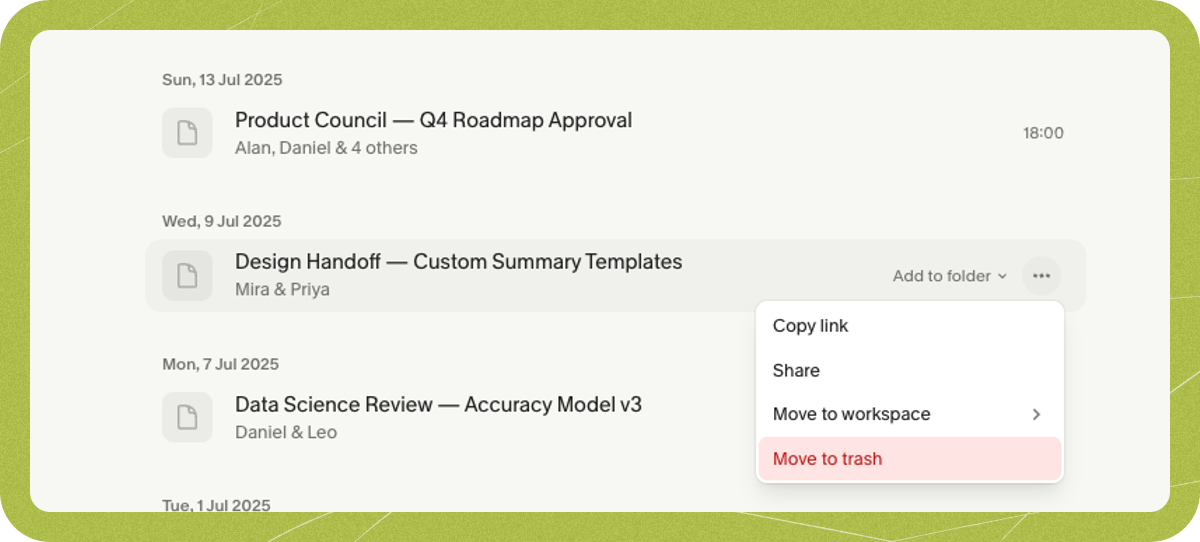
Deleting or restoring notes from trash
The trash can appears at the bottom of the left-hand sidebar once you’ve moved a note to the trash — if you have lots of folders, you may need to scroll down.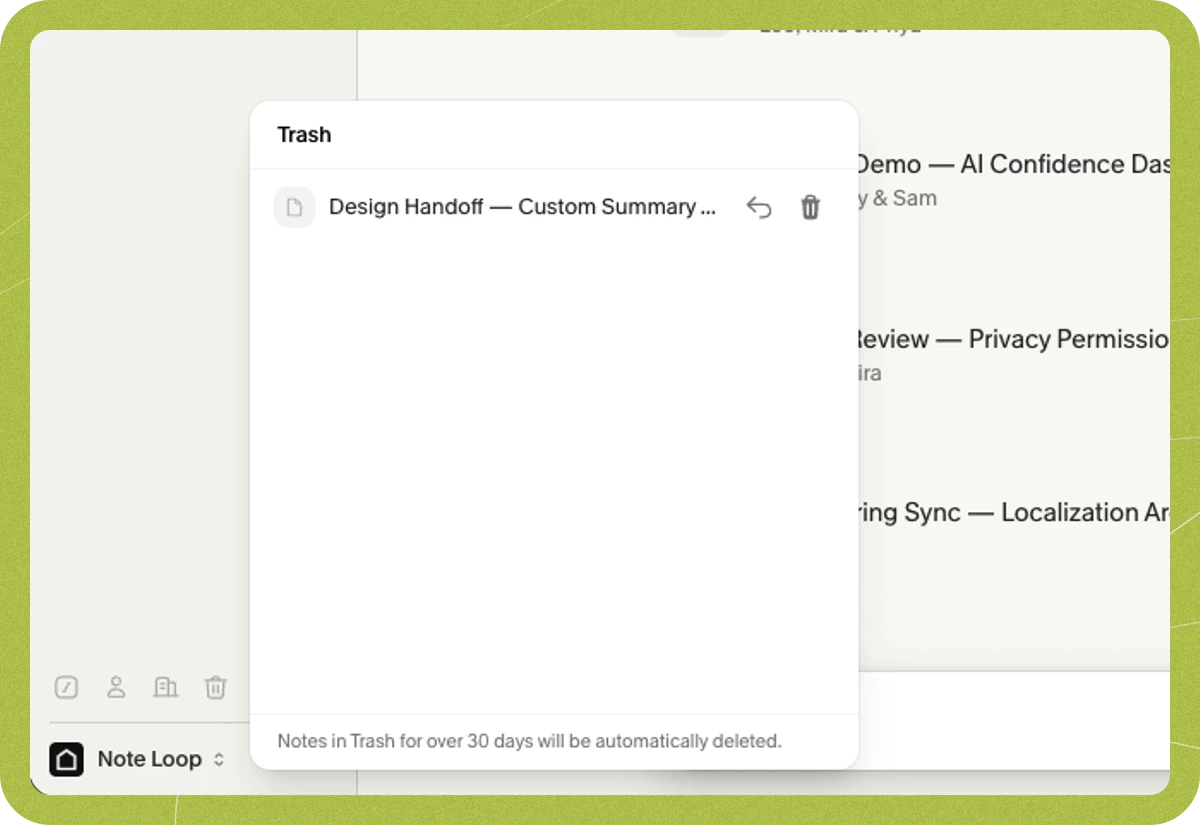
Delete or restore Granola meeting notes. Permanently remove notes or recover accidentally deleted ones.