

- Open the Granola app and go to Settings.
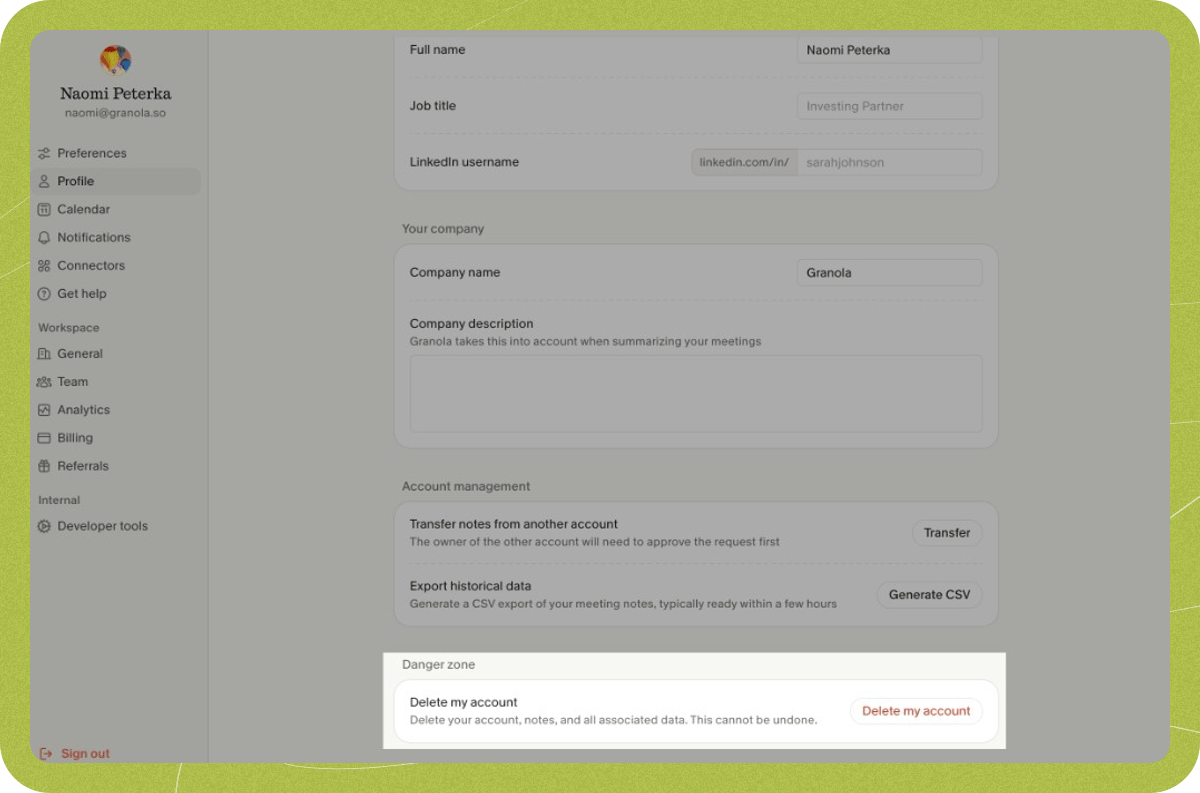
- Click Profile in the sidebar (under Preferences), then scroll down to find the Delete my account button.
- Click on Delete my account to proceed with the removal
What happens to your notes and folders?
- Notes you transferred to another account: Notes you have already transferred to another account do not get deleted. They now belong to that account and stay with it.
- Your notes in folders with other members: If you created folders that have other members, the folder itself (the container) may remain so that other members can still use it. However, all notes you owned that were in those folders are permanently deleted when you delete your account. Only the folder structure remains; your content in it does not.
- Your private folders and notes: Your private folders and all notes you own are permanently removed. Anything that was only in your account and not transferred is deleted and cannot be recovered.
What happens to your calendar connection?
Deleting your Granola account removes Granola’s access to your connected calendar (Google Calendar or Microsoft Outlook). If you’d like to verify this or manually revoke access yourself, you can do so from your calendar provider’s settings:- Google Calendar: Go to your Google account permissions and remove Granola from the list of apps with access.
- Microsoft / Outlook: Go to your Microsoft account app permissions and remove Granola from the list of apps with access.