

Granola works with cloud-based Microsoft 365 calendars (Exchange Online).
On-premises Exchange servers are not supported.
Before you start
Check which scenario applies to you, as the migration process differs slightly:- Same email address: If your Google account and Microsoft account use the same email address, you only need to sign out and sign back in with Microsoft. Your account and all notes will remain intact.
- Different email addresses: If you used a personal Gmail address but your work account is on Microsoft, you’ll need to transfer your notes after signing in with Microsoft.
Sign out of your current account
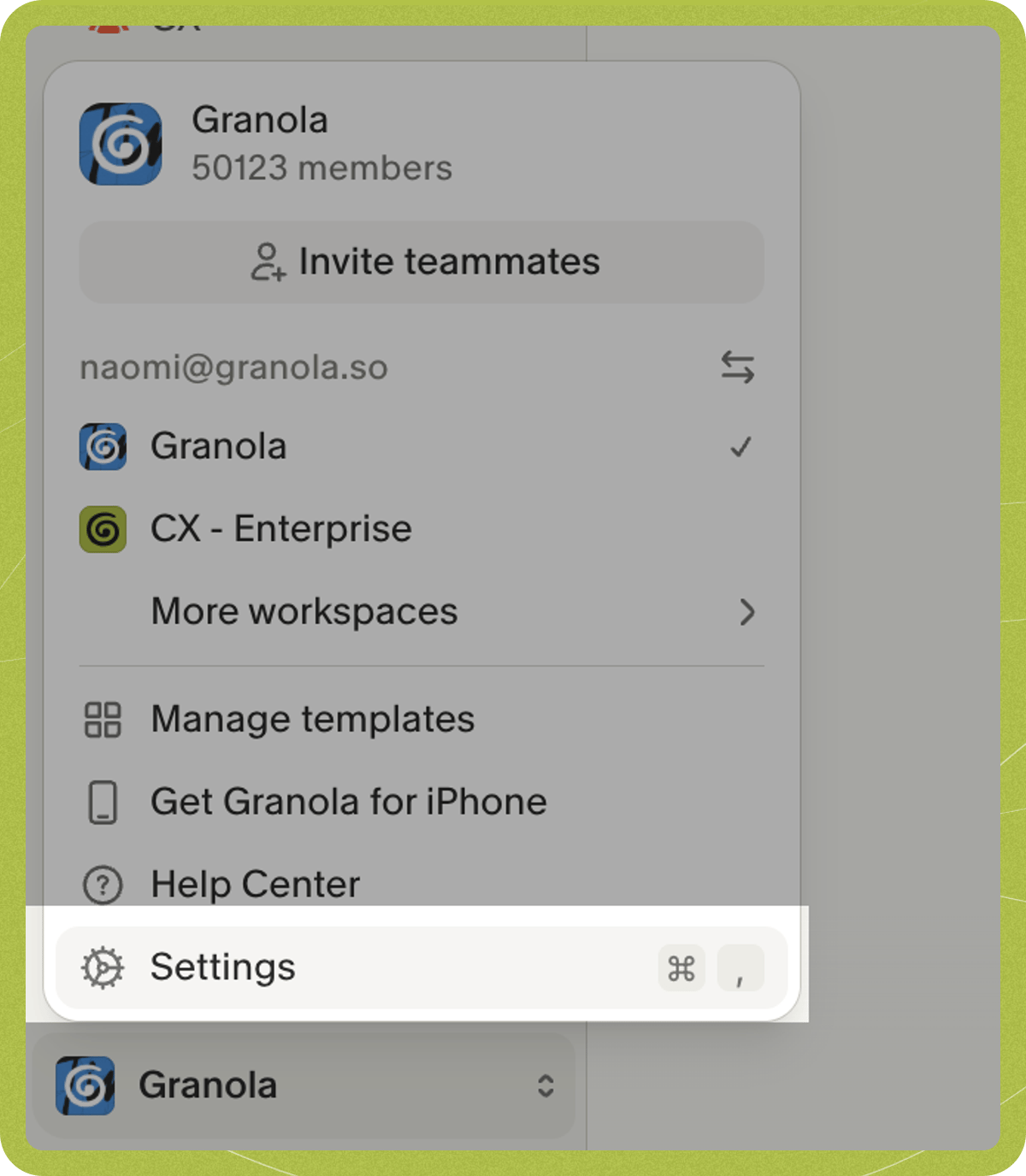
- Click on your workspace name in the bottom left corner of the app
-
Click Settings
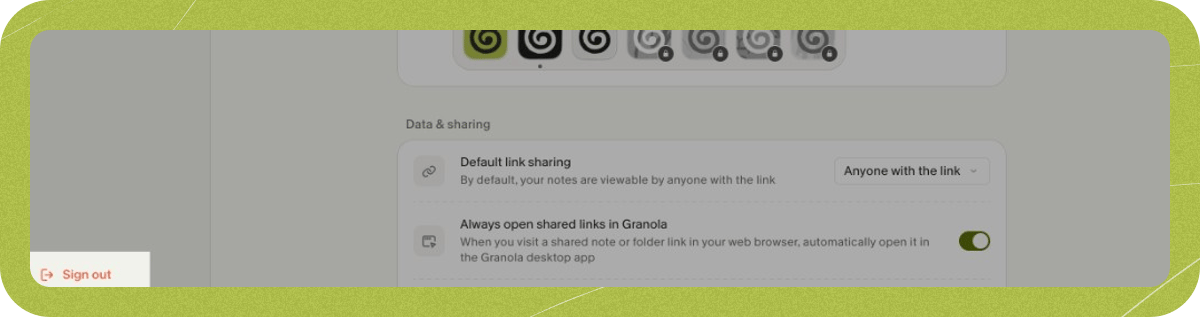
- Scroll down and click Sign Out (bottom left)
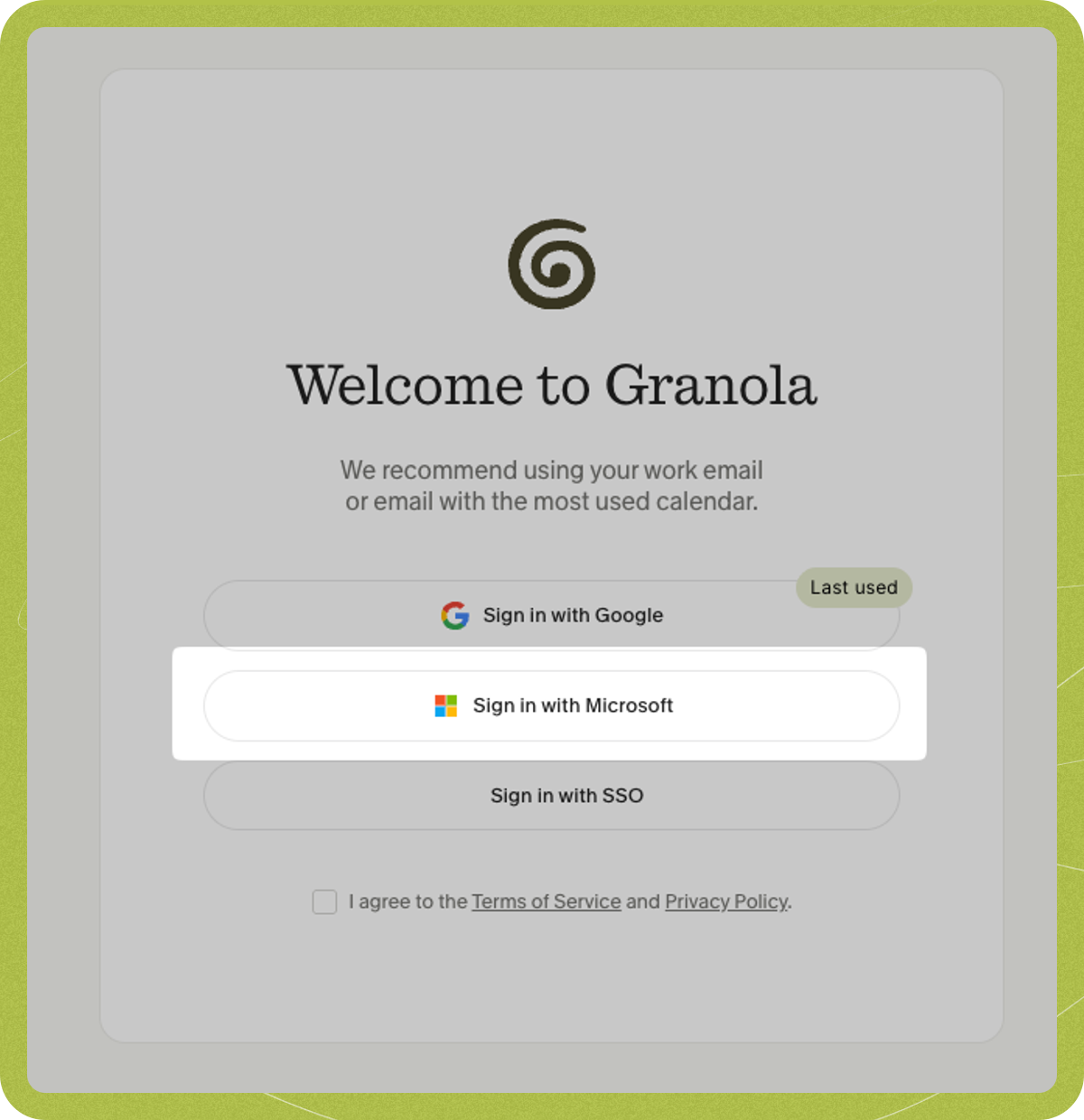
Sign in with Microsoft
- Click Sign in with Microsoft on the sign-in screen
- Complete the Microsoft sign-in process
- Grant calendar permissions when prompted
Transfer your notes
If you previously used a Gmail account or other alternate email address to use Granola, you may need to transfer your notes. To bring over your notes from your previous account:- Click on your workspace name in the bottom left corner of the app
- Click Settings
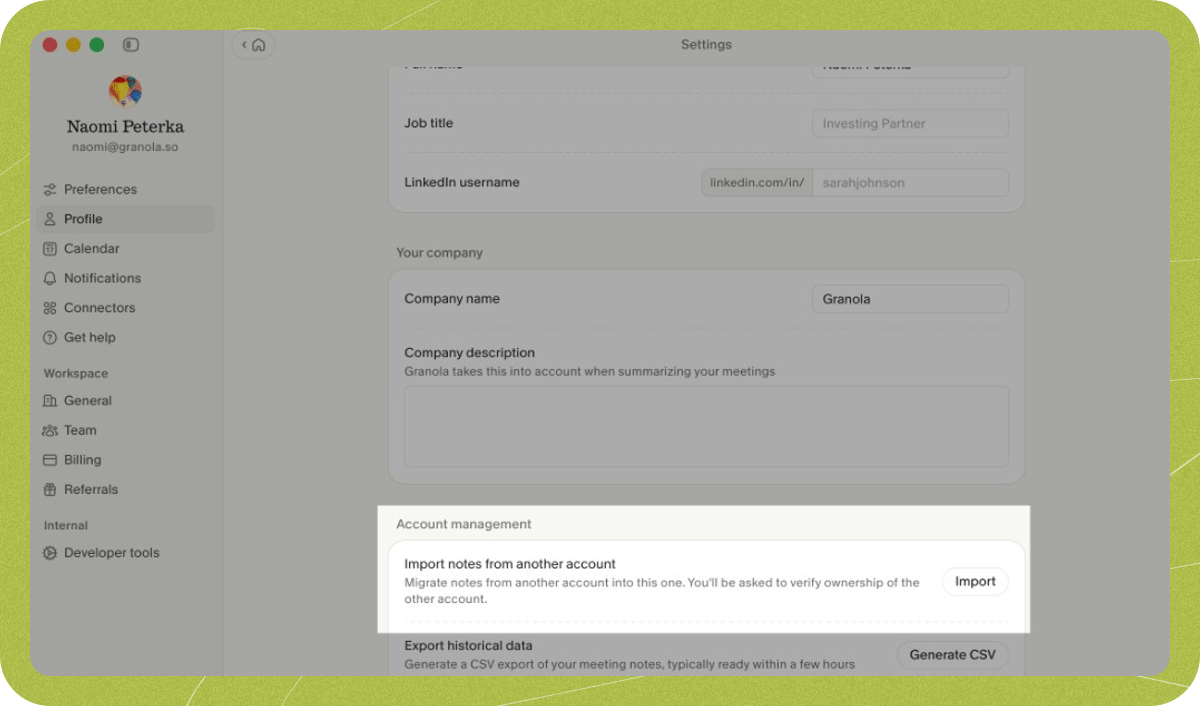
- Go to the Profile tab
- Find the Import notes from another account option and click Import
- Enter your previous Gmail address and click Request import
- Check your Gmail inbox for a 6-digit verification code, enter it in the app, and click Confirm import
What to expect after migrating
Your Outlook calendar events will now sync directly through your Microsoft account without any workarounds. All transferred notes will appear in your new account. Folders where you are the only member are imported with your notes. Folders shared with other people are not imported — you’ll need to rejoin or recreate those in your new account. You can keep your old Gmail account active if you want to use it for personal meetings. To switch between accounts, use the account switcher icon in the bottom left menu — click the arrows next to your email address to add or switch between accounts.Troubleshooting
Admin approval screen
Admin approval screen
When signing in with Microsoft, you may see an admin approval screen. This happens when your organization requires administrator consent for new applications. Contact your IT administrator to approve Granola for your organization.
Notes didn't transfer
Notes didn't transfer
Make sure you completed the verification step by entering the 6-digit code sent to your Gmail address. If you didn’t receive the code, check your spam folder or try the import process again.