Documentation Index

Fetch the complete documentation index at: https://docs.granola.ai/llms.txt

Use this file to discover all available pages before exploring further.

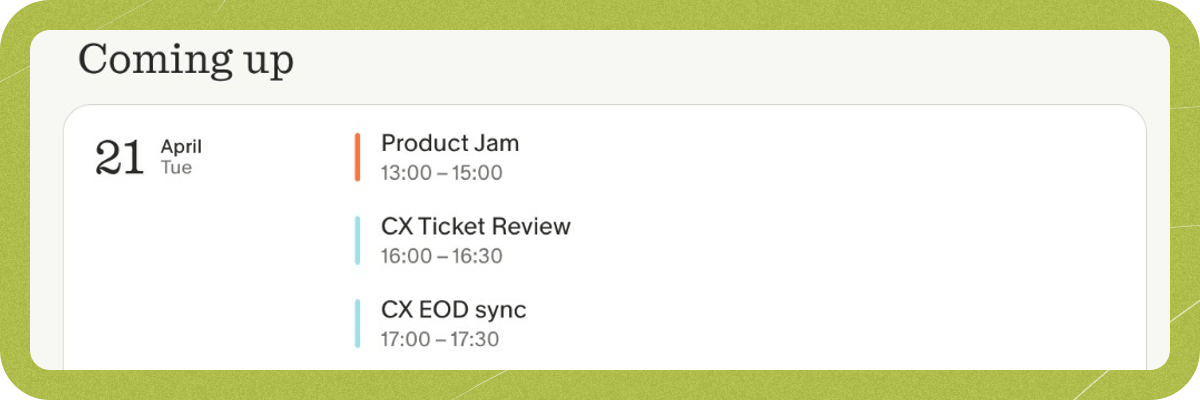
Granola syncs with your Google or Microsoft/Outlook calendar to notify you about upcoming meetings and to generate better meeting notes using context from the meeting details and attendees. These things make a big difference to the experience you’ll have when using Granola, so here’s how to make sure it’s set up correctly. Coming up section Upcoming meetings for the next 7 days will be shown in the Coming up section of the app. By default, we show 5 meetings to keep the app tidy, but you can click “Show more” to see additional meetings. Any changes made to events on your calendar should be reflected in Granola within a few minutes. Events that you’ve declined, or calendar entries that aren’t events (like Out of Office, Focus Time or Working Location blocks) won’t be displayed in Granola.

Using multiple calendars

Your primary calendar in Google or Microsoft/Outlook is synced by default. You can toggle on any additional calendars in Settings. To access calendar settings:
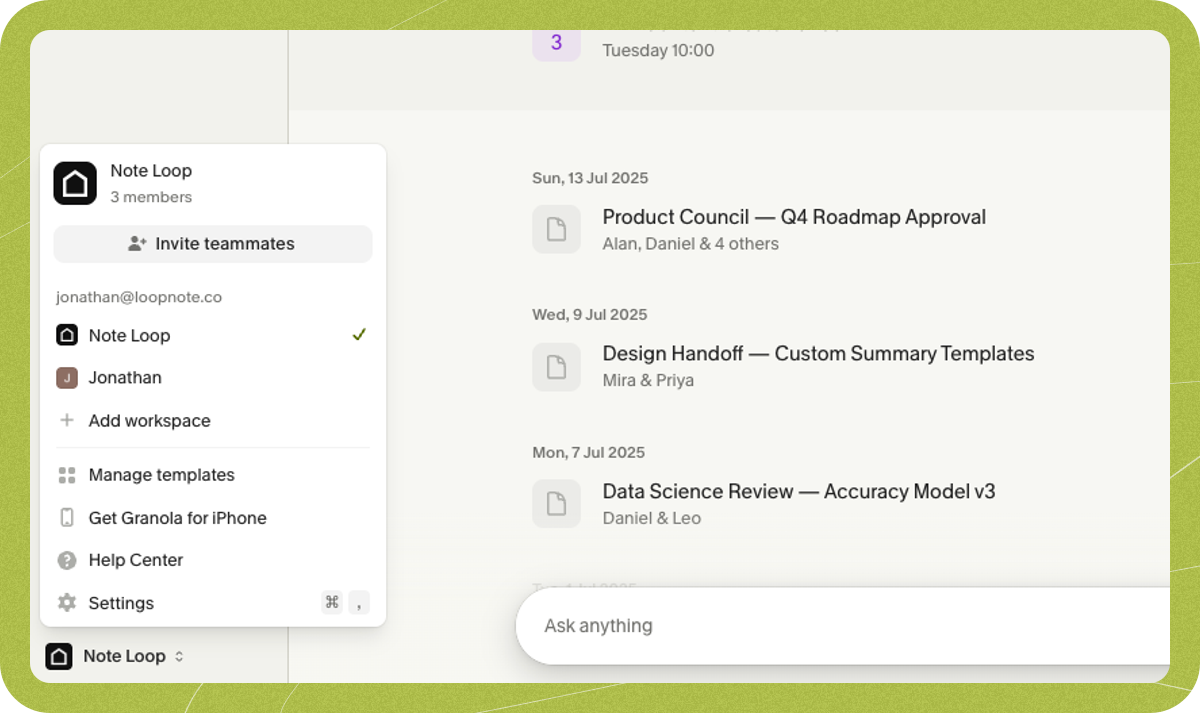
  1. Click on your workspace name in the bottom-left corner of the app
  2. Click Settings
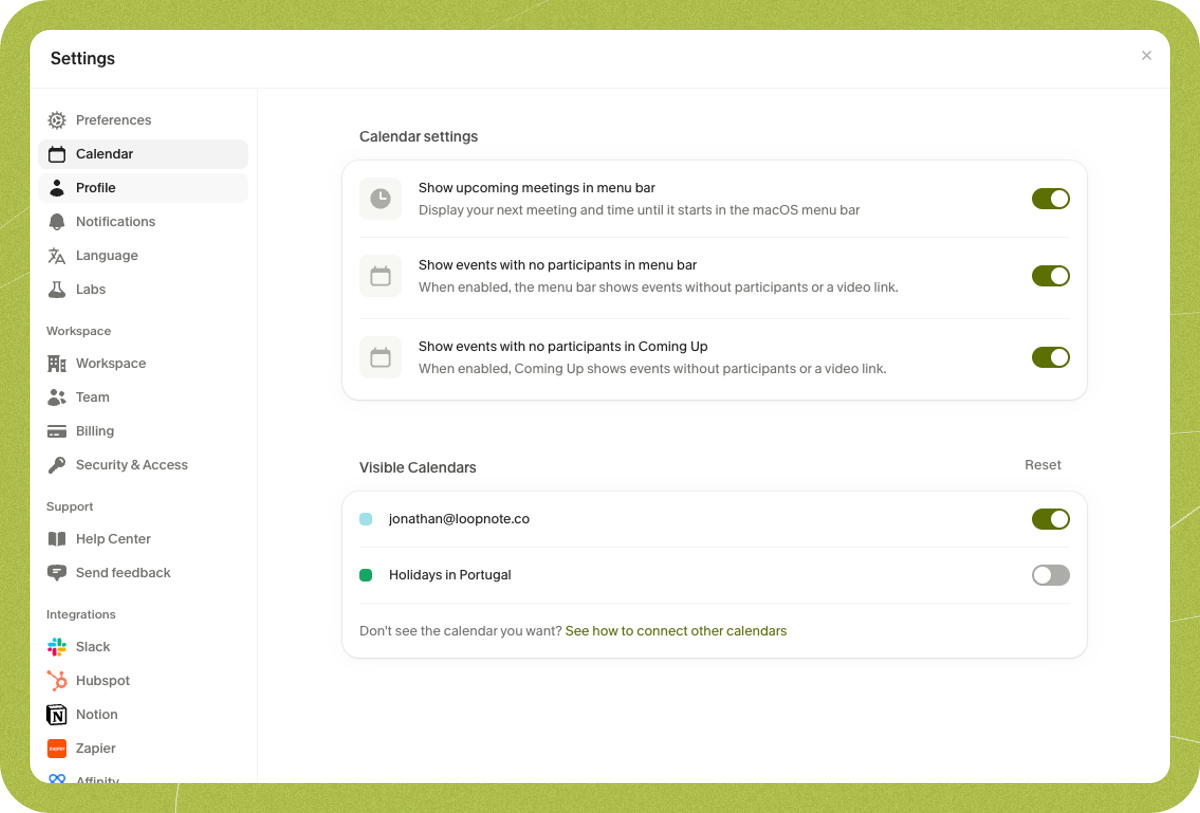
  3. Select Calendar from the sidebar
Workspace menu From here, you can toggle which calendars are visible in Granola and configure how meetings appear in the Coming up section. Calendar settings If you’re using Granola on iOS, you’ll need to make these changes in our macOS or Windows app, and they’ll be synced to Granola on iOS.

Calendars from other accounts

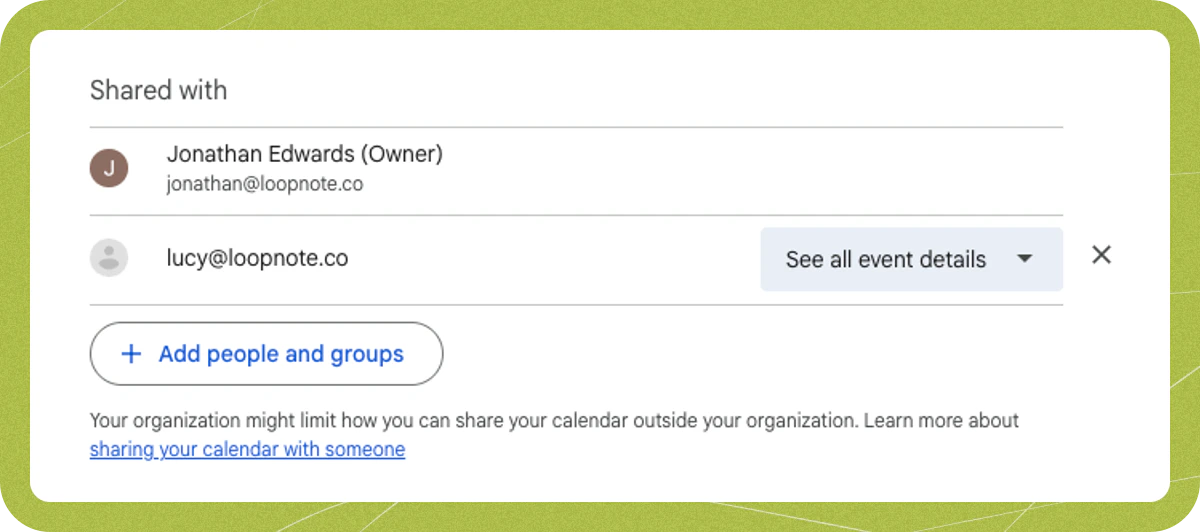
If you have events in calendars from other accounts, you’ll need to share these with the Google or Microsoft account you’re using to log in to Granola. Granola reads from the calendar provider you’re signed in with — Google Calendar if you signed in with Google, or Outlook if you signed in with Microsoft. For a shared calendar to appear in Granola, its events must be visible in that provider’s calendar. For example, if you’re signed in with Microsoft and want to see a Google Calendar, sharing it to your email address alone isn’t enough — you need to add it to your Outlook calendar so the events actually appear there. For Google Calendar, you can share calendars from another account by following the steps here. For Microsoft/Outlook, you can share your calendar using these instructions. Just share the calendars with the account that you log into Granola with, and wait a few minutes for the events to sync over. You’ll need to select “See all event details” (Google) or equivalent permissions (Microsoft) when sharing a calendar for Granola to be able to sync your meetings. Google Calendar sharing permissions We don’t currently support Apple Calendar, only Google and Microsoft/Outlook.
Multiple Google or Microsoft accounts

You can add multiple Granola accounts and switch between them using the account switcher icon in the bottom left menu. This is useful if you want to keep your work and personal calendars completely separate (for example, a work account connected to Microsoft and a personal account connected to Google Calendar). This menu lets you quickly switch between them. Alternatively, you can share calendars from other accounts with the account you sign in with:
  1. Share that account’s calendar with the email you use for Granola (e.g. share a Google calendar with your Granola email, or share an Outlook calendar).
  2. Grant See all event details (Google) or equivalent (Microsoft) — Granola can’t show events if it only has free/busy.
  3. Make sure the shared calendar’s events are visible in your sign-in provider’s calendar (Google Calendar or Outlook). If you’re sharing across providers — for example, sharing a Google Calendar when signed in with Microsoft — the events must appear in your Outlook calendar, not just be shared to your email address.
  4. In Granola, go to Settings > Calendar and toggle on the shared calendar. Events usually appear within a few minutes.
If you need meetings from several accounts, add all those calendars to the account you sign in to Granola with, then enable them in Settings > Calendar.

Granola doesn’t auto-start for meetings

Granola only starts transcribing when you open a note for that meeting (e.g. by clicking the meeting in “Coming up” or opening it from the home screen). It doesn’t join or record in the background. To have Granola ready:
  • Open the meeting in Granola at or after its scheduled start time (click it in “Coming up” or from the list), or
  • Click ➕ Quick Note if you’re in an unscheduled or ad-hoc call.
If the meeting doesn’t appear in “Coming up”, check Calendar sync troubleshooting.

How far back does meeting history go?

Granola shows upcoming meetings (typically the next 7 days in “Coming up”) and your past notes in the app. Granola only has notes from meetings where you actively used it to take notes — it does not retroactively import or create notes from past calendar events. How far back you can see past notes depends on your plan: on the Basic (free) plan you only have access to the last 30 days in the app; on Business or Enterprise you have full history.

Related meetings

When you view a note for a recurring meeting, Granola shows notes from previous instances of that meeting so you can quickly review past discussions. Granola links meetings together using two criteria: the recurring event ID from your calendar, and the exact meeting title. Meetings that share the same recurring event ID or have exactly the same title will appear as related. If you modify or recreate a recurring meeting series in Google Calendar or Outlook — for example, by deleting the series and creating a new one with the same name — your calendar provider assigns a new recurring event ID. When this happens, older meeting notes from the original series will no longer appear as related to the new series, because the recurring event IDs are different. However, if the meeting title stays exactly the same, Granola can still link them.

Duplicate calendar events or duplicate notes

If the same meeting appears twice in “Coming up” or you get two notes for one meeting, it’s usually because the meeting exists in more than one calendar (e.g. your calendar and a shared copy). Toggle off the duplicate calendar in Settings > Calendar if you don’t need it, or ignore the duplicate — you can delete the duplicate note.