

Add your API key
Bear this in mind: Your API key is tied to your account. If you’re in a workspace, each person needs to generate their own API key in order to post to Affinity under their account. Here’s how to set it up:- Sign into Affinity at https://www.affinity.co/
-
Click
Settingsin the left navigation, then clickManage Appsunder Developer Tools -
Click the
+ New Appbutton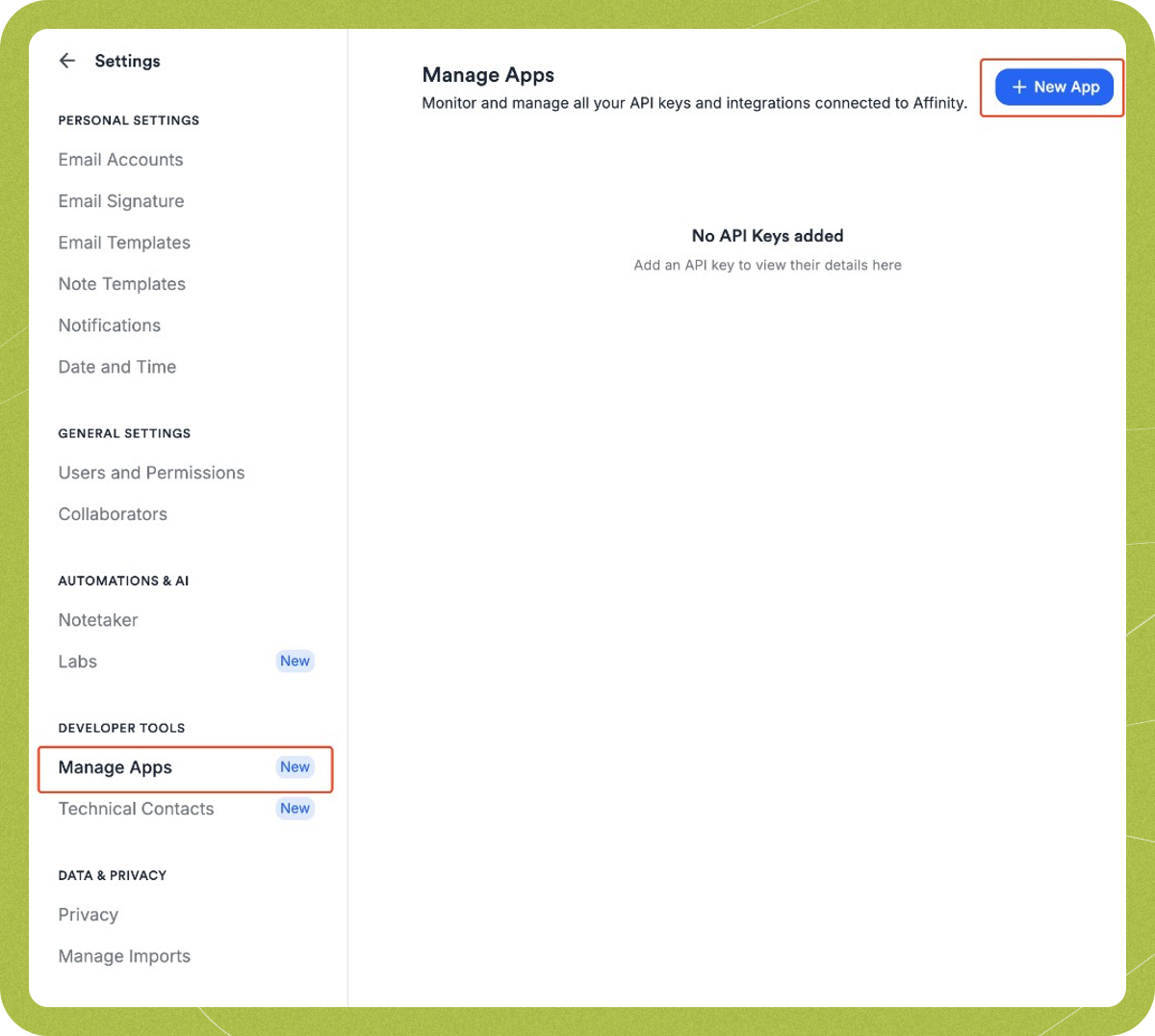
-
Enter a name for your app (e.g. “Granola”) and optionally add a description, then click
Add App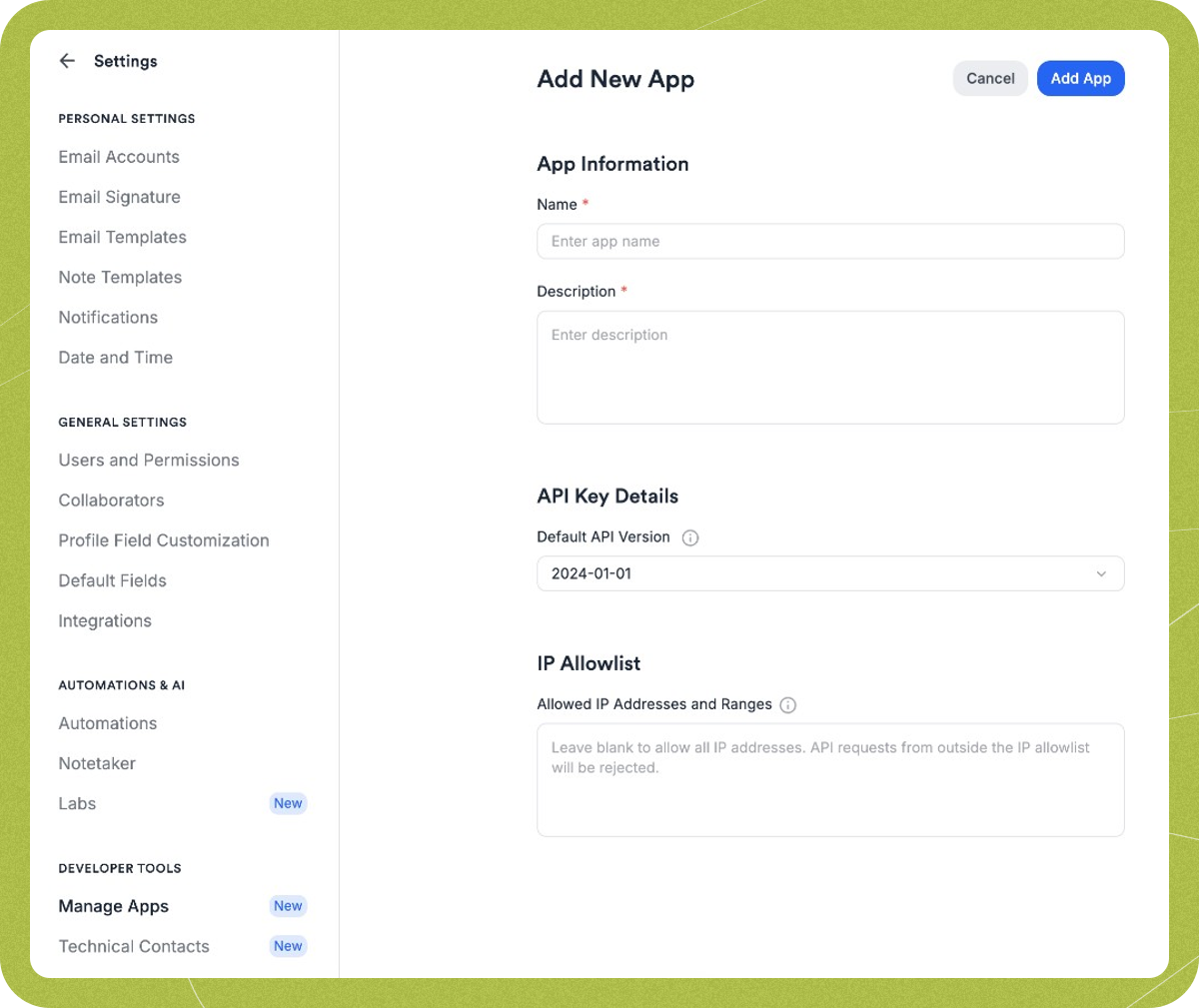
- An API Key Created modal will appear — copy the key immediately, as you won’t be able to see it again
-
Head to
Settingsin Granola (click your avatar in the bottom left corner of Granola), thenConnectorsand paste your Affinity API key in the box provided. It will save automatically.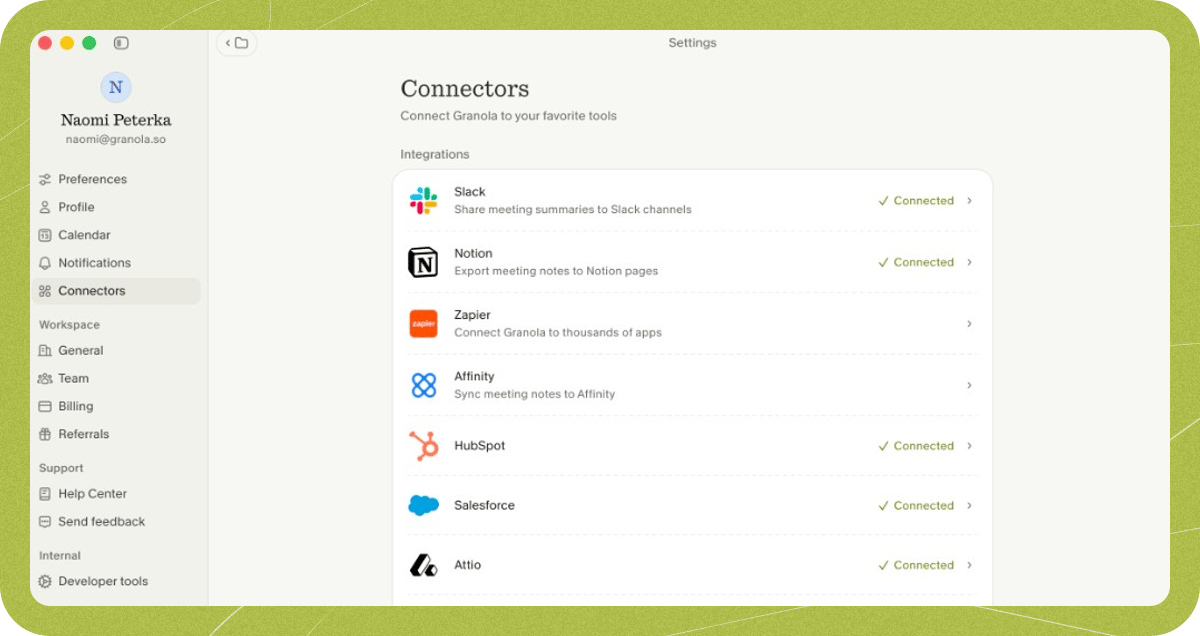
- You’ll now see Affinity appear as a sharing option in a Granola note.
Share notes to Affinity
Once connected, you can share any note to Affinity by clicking the Affinity option in the top right of the note. Granola will suggest matching People and Company records based on the email addresses of meeting attendees from your calendar event. You can review the suggestions, remove any you don’t want, or search for additional records before saving.Troubleshooting
I can't get the integration to connect
I can't get the integration to connect
- Check that you’re using the same email address to log in to Granola and Affinity.
- Check that you’re using a unique API key, not one generated by another user.
My Affinity integration was previously connected and has stopped working
My Affinity integration was previously connected and has stopped working
Try disconnecting and reconnecting the integration.
Error: "Something didn't work. Check your key or try again."
Error: "Something didn't work. Check your key or try again."
Check you’re using a unique key, not one that someone else has generated. Sometimes this error occurs because your organisation is hitting Affinity’s API limit; check with your team admin if this could be the case.
I still need help
I still need help
Reach out to our support team on hey@granola.so for more help. It’s always helpful to see screenshots or a screen recording of what you’re seeing.