
Supported languages
Granola supports 31 languages on desktop (macOS and Windows) and 17 languages on mobile (iOS and Android). See the table below for the full list by platform.Supported languages by platform
Supported languages by platform
Transcribing multiple languages
On desktop (macOS and Windows), when transcription language is set to Auto, Granola lets you switch between any of the supported languages during a meeting and transcribes all of them. On iOS and Android, Granola analyzes the transcript and chooses a single language to transcribe in, so it works best when a meeting stays in one language. Once a meeting is transcribed, its language can’t be changed afterward. Granola doesn’t offer live (real-time) translation during a meeting — the transcript stays in the language that was spoken. Instead, set your transcription language to Auto, then set your summary language to English on desktop or ask Granola Chat for notes or a summary in your language.Choosing your language preferences
Multi-language transcription on iOS and Android is enabled by default for all supported mobile languages listed above. On mobile, summaries are generated automatically in the majority language detected during transcription (there is no manual summary language setting on iOS or Android). On desktop (macOS and Windows), open Settings > Preferences and scroll to Language to choose your transcription and summary languages: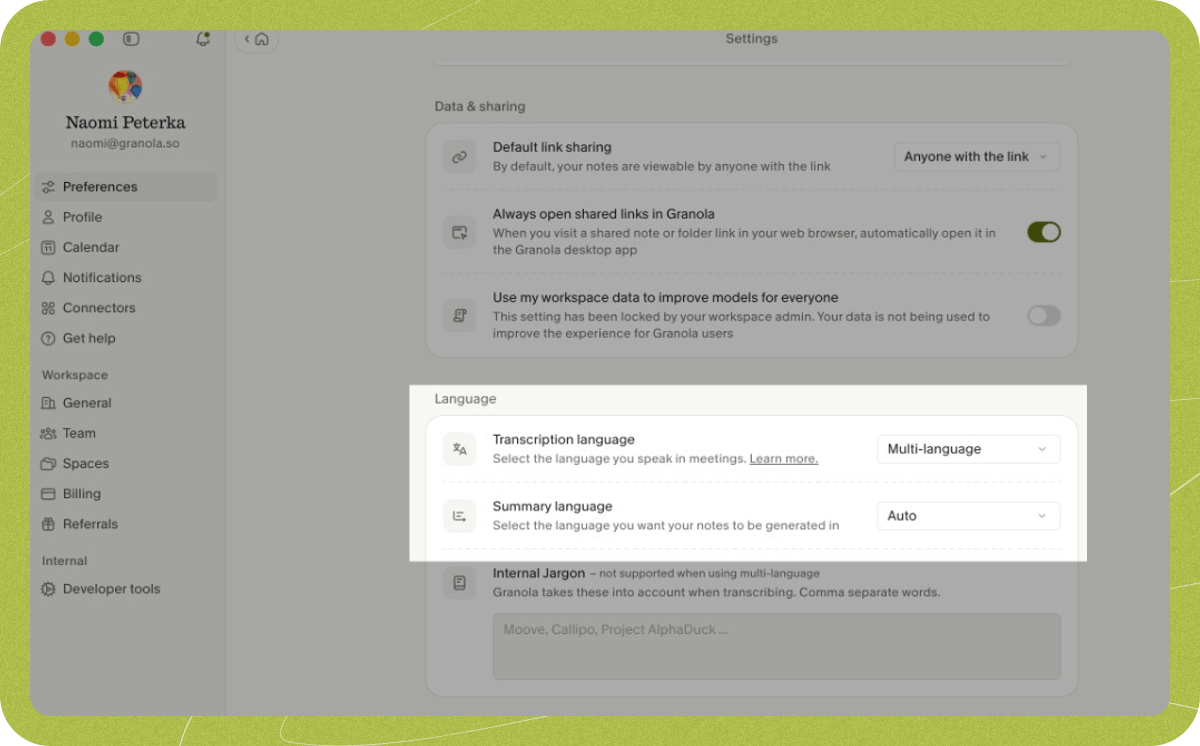
Transcription language
- English (best quality): Best quality if most of your meetings are in English.
- Auto: Transcribes all supported desktop languages listed above, even if multiple languages are spoken in the same meeting.
Summary language
- English: Summarized notes are generated in English regardless of the language spoken during the meeting.
- Auto: Summarized notes are generated in the majority language transcribed during the meeting.
Changing languages during a meeting
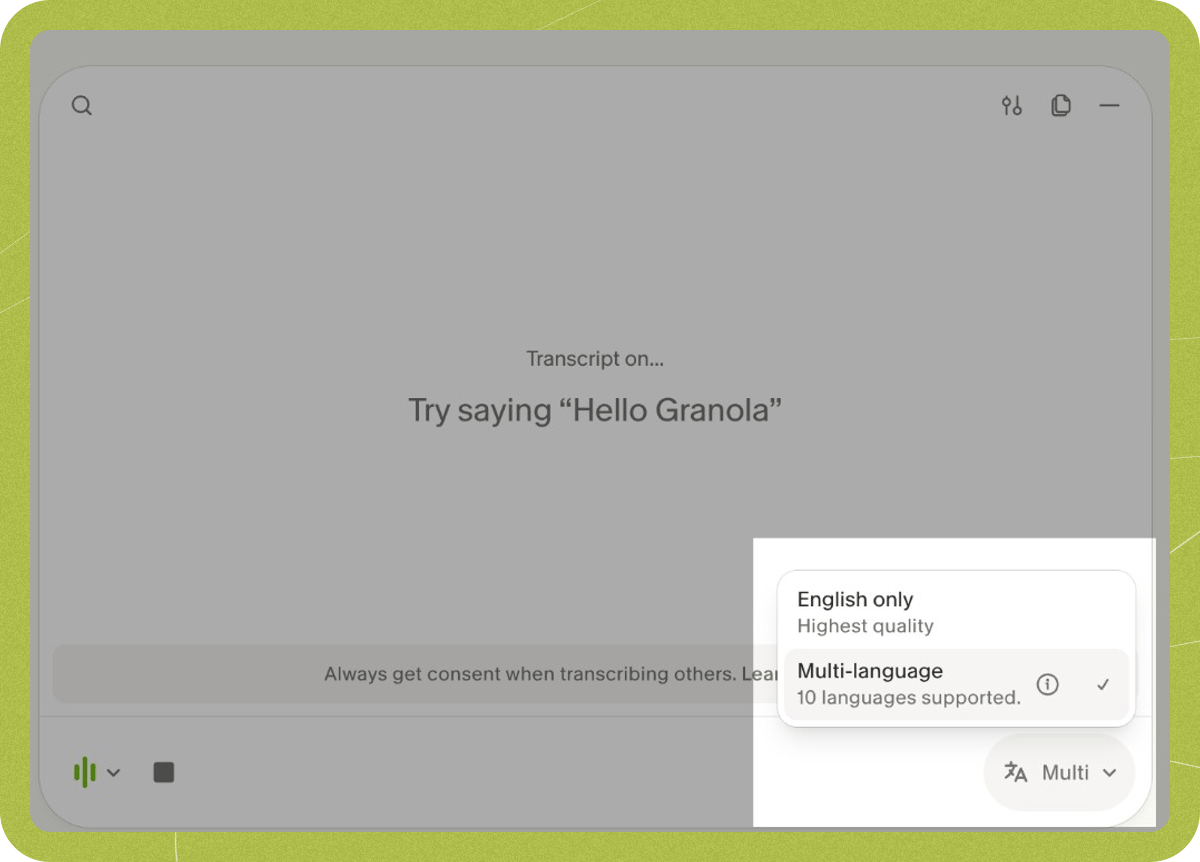
You can change the transcription language during an active meeting from the meeting controls: