

Available on Enterprise plans in the desktop app. Currently supported for English.

How it works
- When PII redaction is on, Granola checks transcript text for the information types your workspace admin selects.
- Granola replaces detected information with a label, such as Card number or SSN.
- Granola keeps original values separately so the note owner can reveal them, when available.
Choose what to redact
Enterprise workspace admins can manage PII redaction in the desktop app. Select your workspace, then open Settings > Workspace > General and select PII redaction under Data security. Turn on PII redaction, then select the information types to redact for your workspace.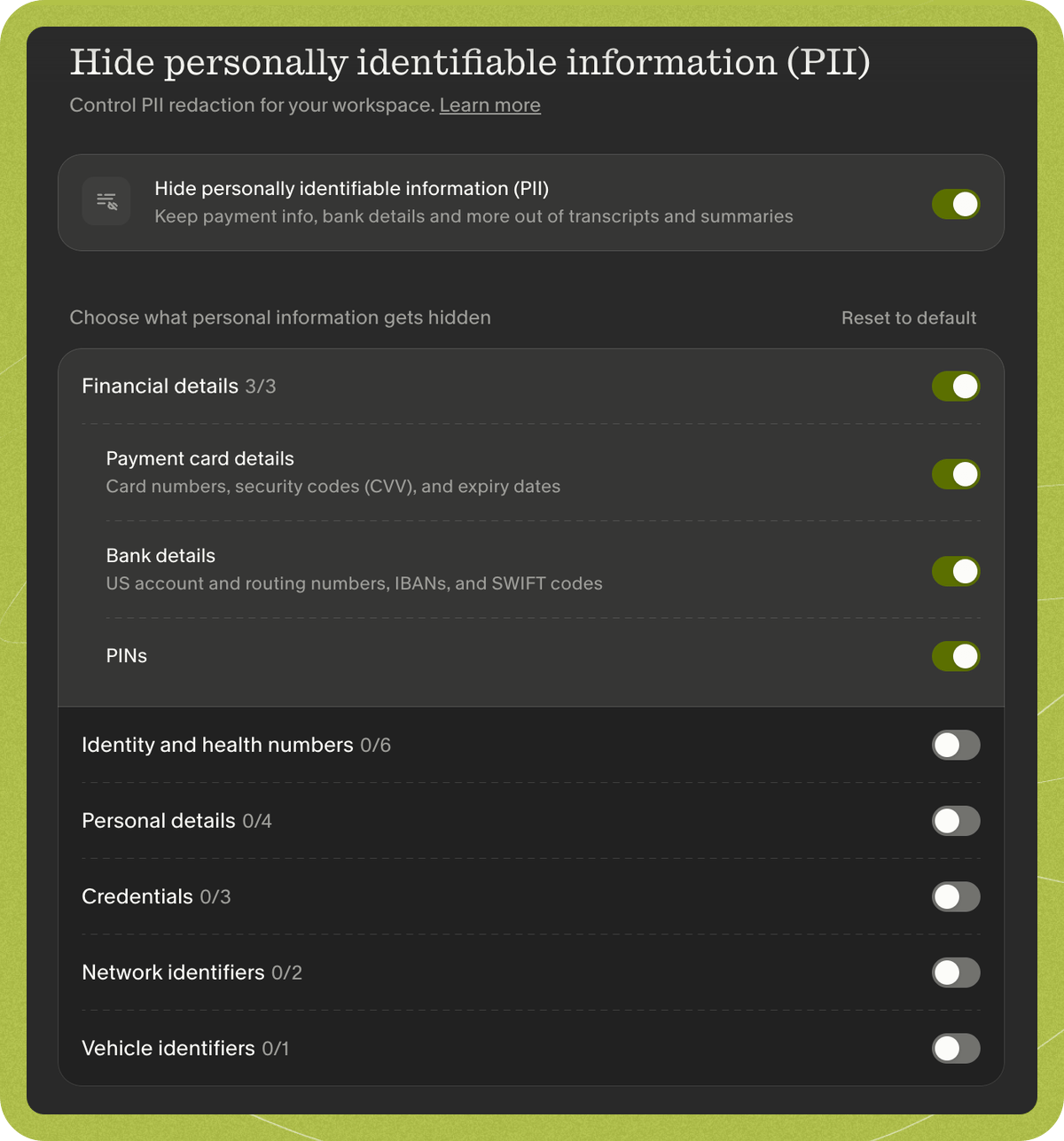
These selections apply across the workspace.
View redacted information
Labels mark redacted information in the transcript. If you own the note, click a redaction label in the desktop app to reveal the original value, when available. The message Only you can see this confirms that the value is visible to you. People you share the note with cannot use this feature to reveal the original.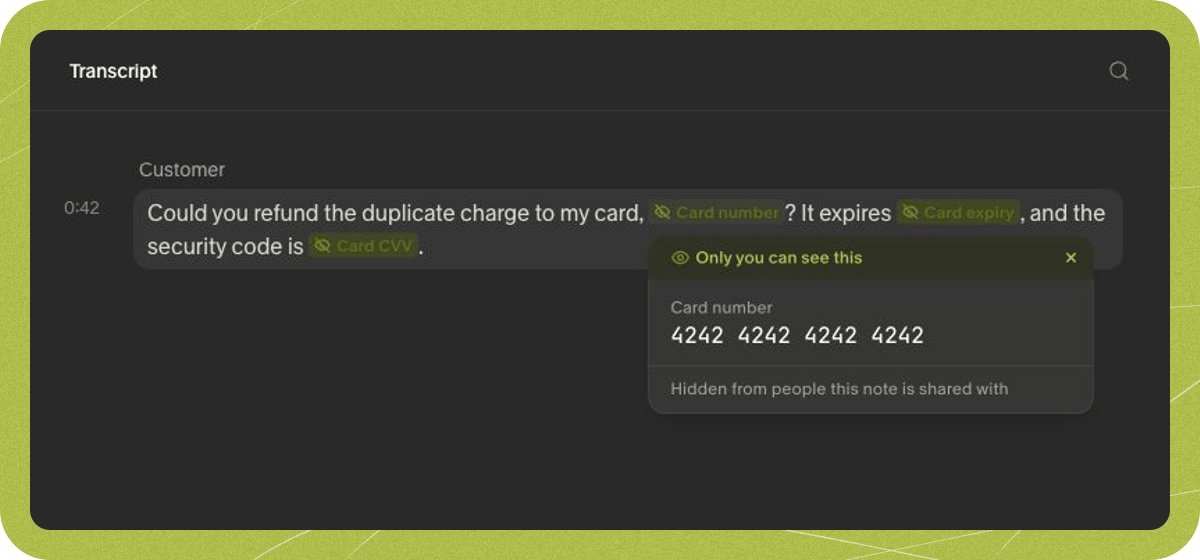
Availability
PII redaction is available on the desktop app with transcription set to English (best quality). Reach out to us if you’d like support for other languages.Things to know
- Meetings transcribed with the language set to Auto are not redacted, even if the meeting is in English. Use English (best quality).
- Meetings transcribed in the mobile apps are not redacted.
- Redaction covers transcripts only. Notes you type and attachments are not redacted.