

Overview
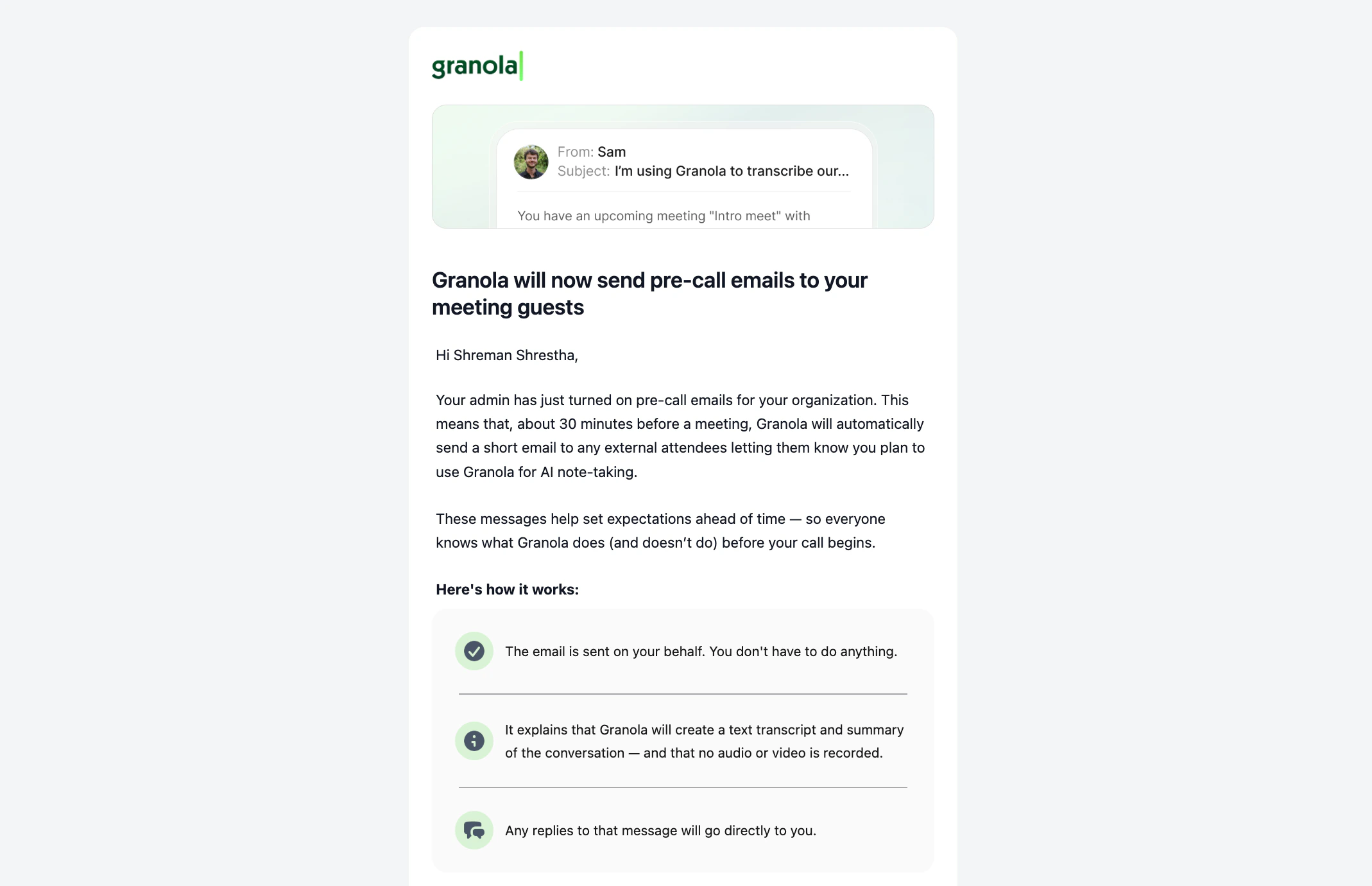
Automated notice emails automatically inform meeting participants that you’ll be using Granola for AI note-taking. These emails are sent 30 minutes before scheduled meetings begin, giving participants advance notice that Granola may be used.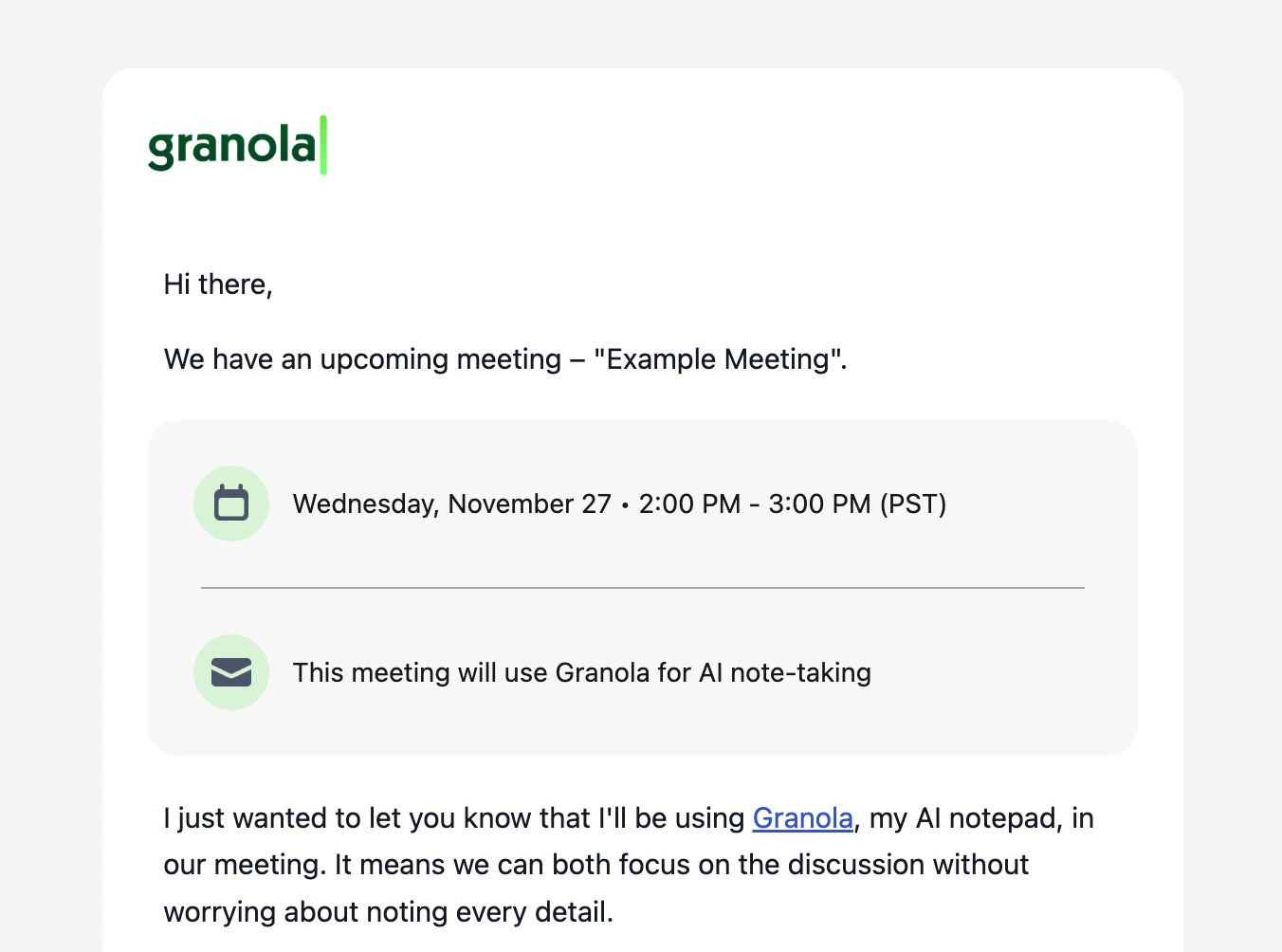
Who can enable this
This feature is only available to a pilot group of Enterprise workspaces, and can be enabled by workspace admins only. Once enabled by an admin, automated notice emails are sent on behalf of all users in your workspace. Individual users cannot turn this feature off.How it works
When pre-meeting emails are enabled:- ~30 minutes before a meeting starts, Granola automatically sends an email to external meeting participants (anyone outside your organization’s domain).
- The email is sent on behalf of the meeting organizer, not from Granola directly, to participants who have accepted the calendar invitation. The meeting organizer should be a Granola user in the admin’s workspace.
- Participants can respond directly to the meeting organizer to withdraw consent
Enabling pre-meeting emails
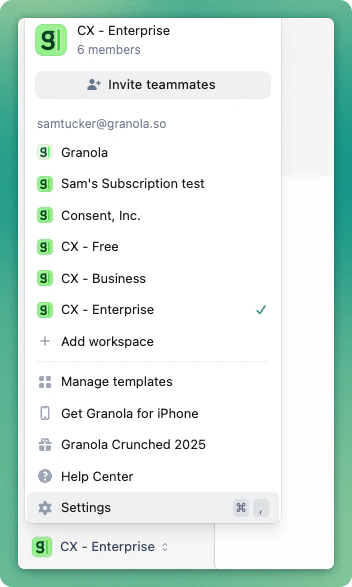
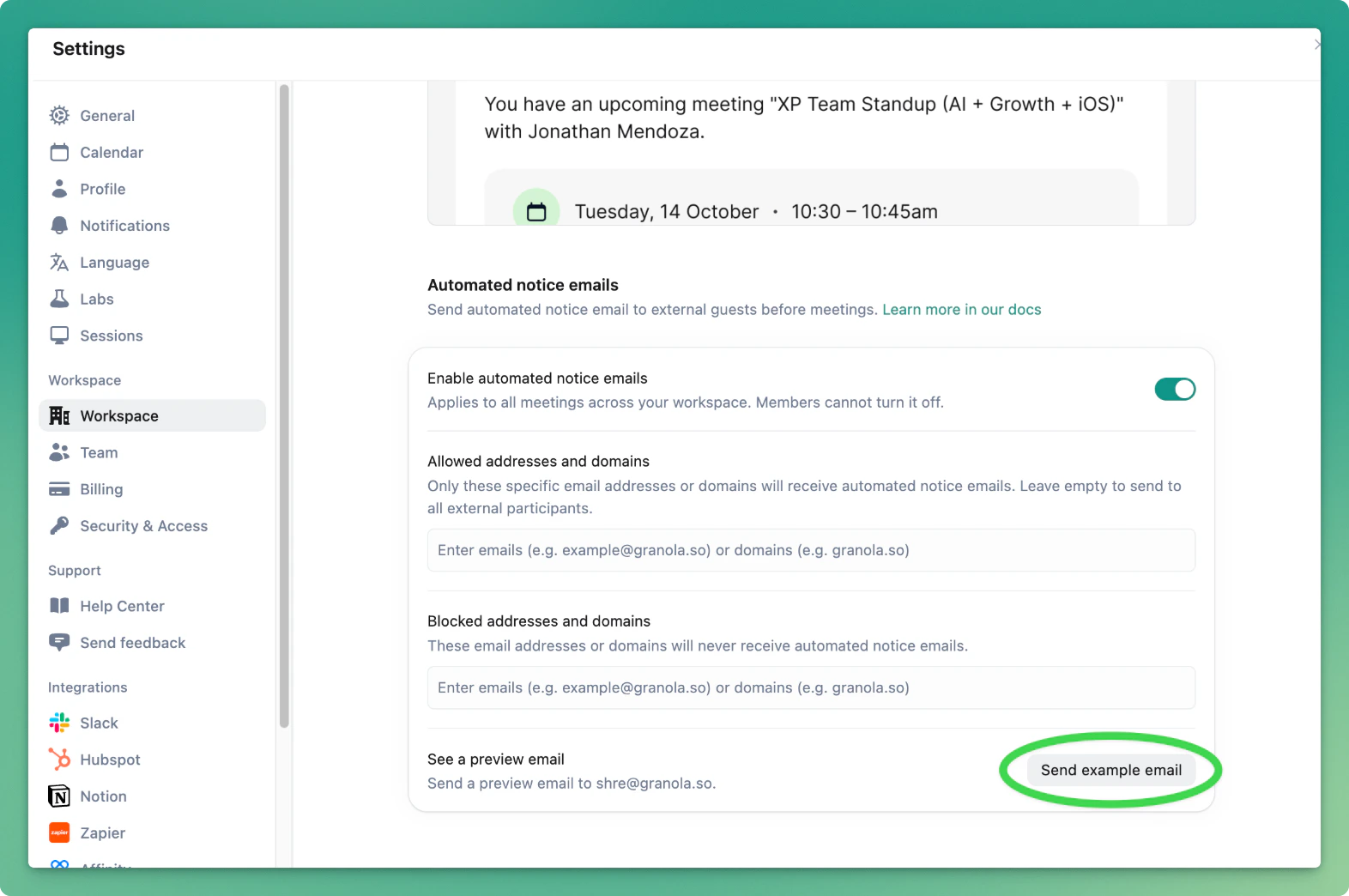
For workspace admins:- Click your workspace name in the bottom-left corner, then select Settings.
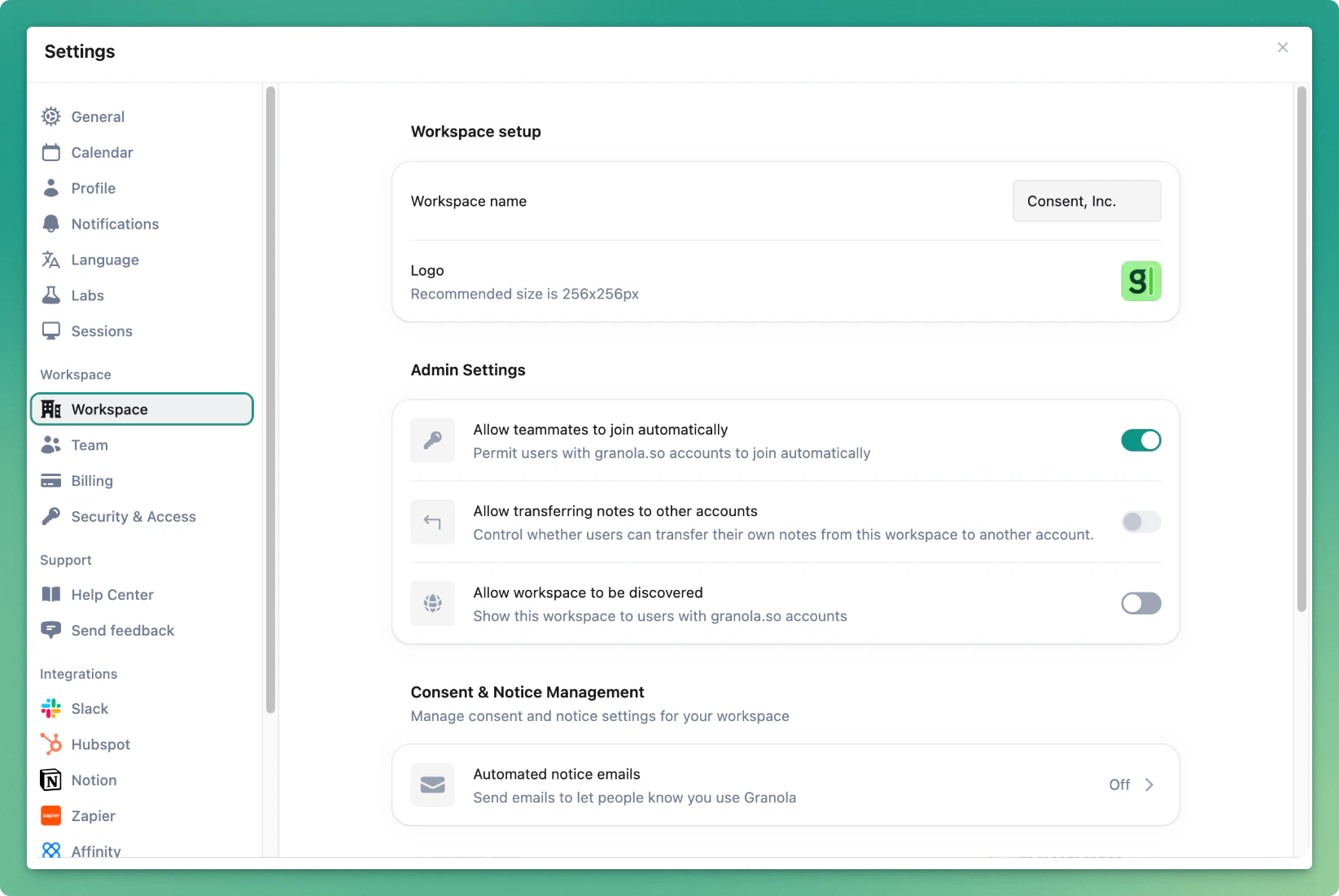
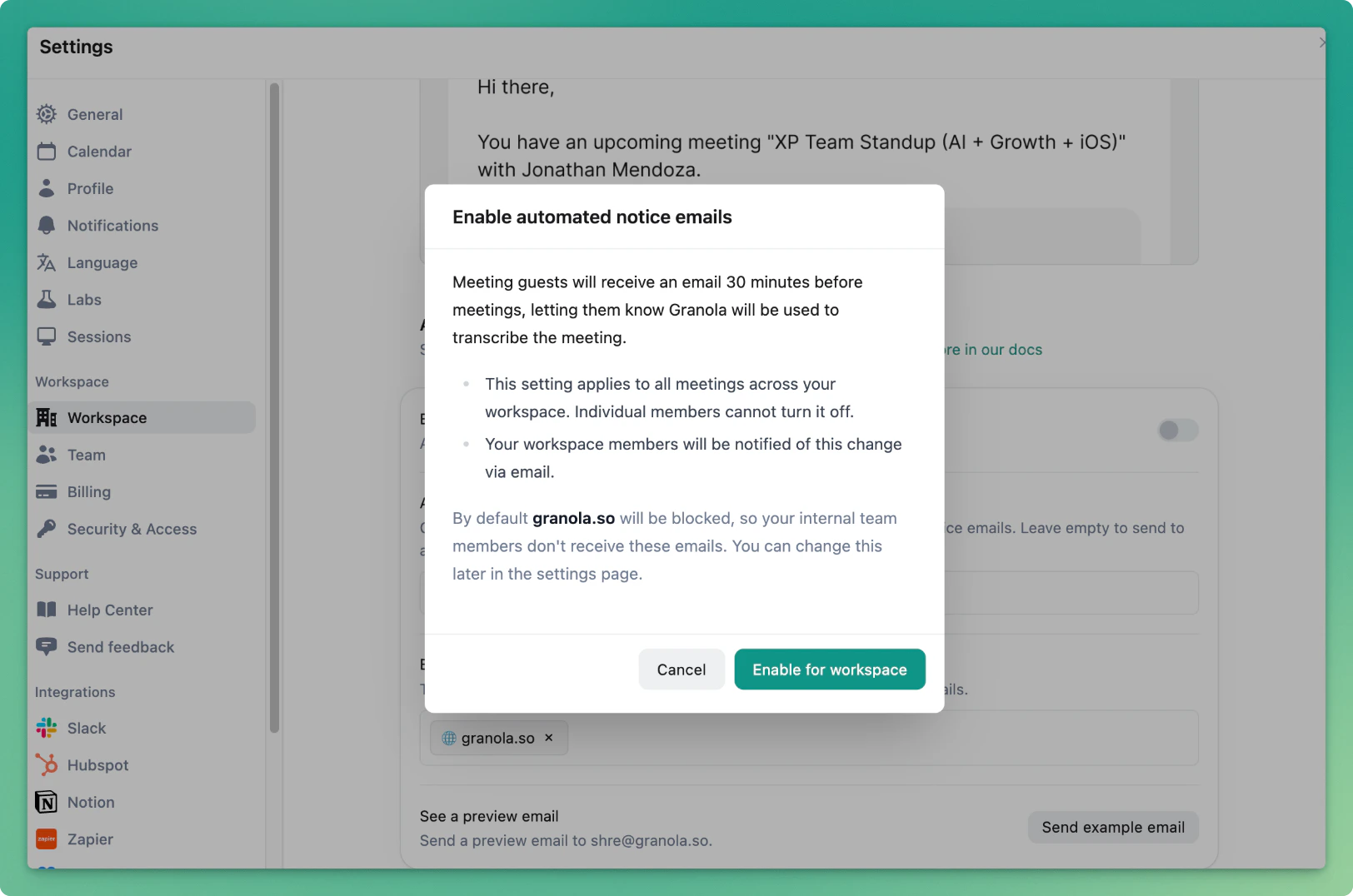
- See a preview email by clicking “Send example email”
Customizing who receives pre-meeting emails
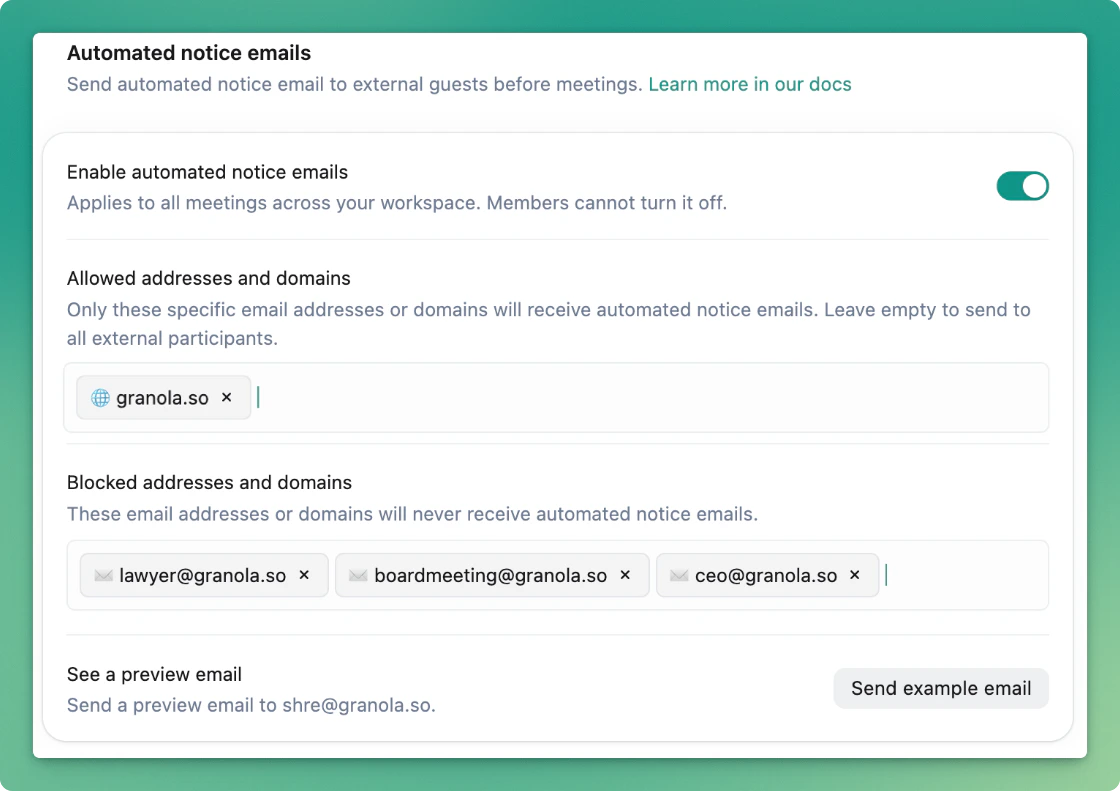
By default, only external (participants outside your domain) will receive these emails.- If you only want to enable participants in your company to receive these emails (i.e. for internal use only), you can add your company’s domain to “Allowed addresses and domains”.
- Alternatively, you can also add specific emails (i.e. shre@granola.so) or email domains (i.e. granola.so) to never receive these emails. By default, your company domain is added here so only external (participants outside your domain) receive these emails.
What participants receive
When the setting is enabled, workspace members receive notice via email.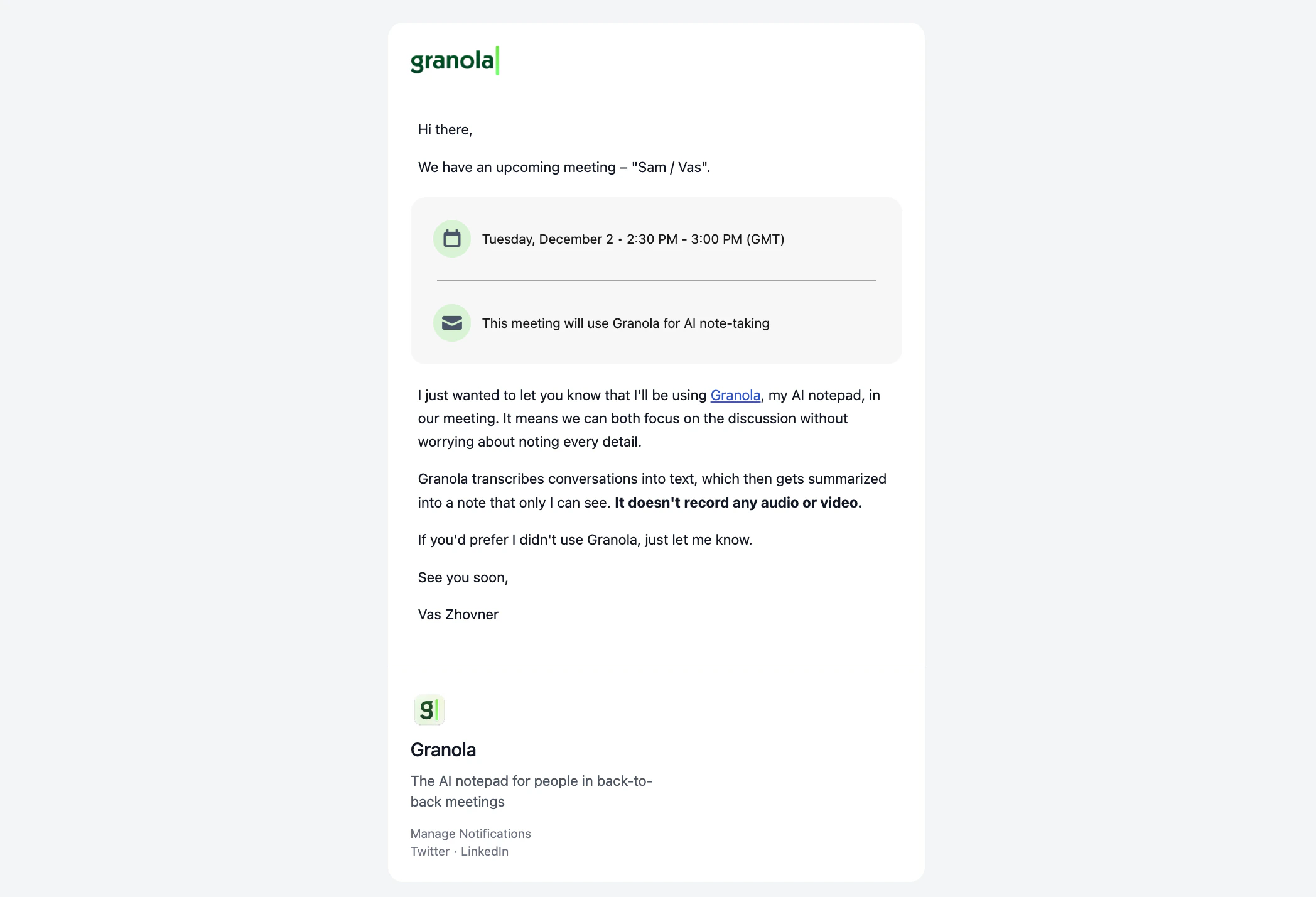
- Meeting details (title, time, organizer)
- Clear notice that Granola will be used for AI note-taking
- Information about Granola and what it does
- Option to respond to the meeting organizer to withdraw consent