> ## Documentation Index
> Fetch the complete documentation index at: https://docs.granola.ai/llms.txt
> Use this file to discover all available pages before exploring further.
# How transcription works on mobile
> Transcription on Granola for iOS and Android. How it works, requirements, and troubleshooting transcription issues on mobile.
In order to create great AI-enhanced notes, Granola transcribes the audio from your meetings when you choose to.
## How Granola captures transcription
Granola records from your phone's active microphone input (note that this could be the built-in mic, or could be a bluetooth device if you've got one connected). Granola can pick up on in-person conversations, or sound playing from other devices. Granola temporarily caches audio during the meeting - when transcription is completed, cached audio is deleted from all Granola and third-party systems.
## When does transcription begin?
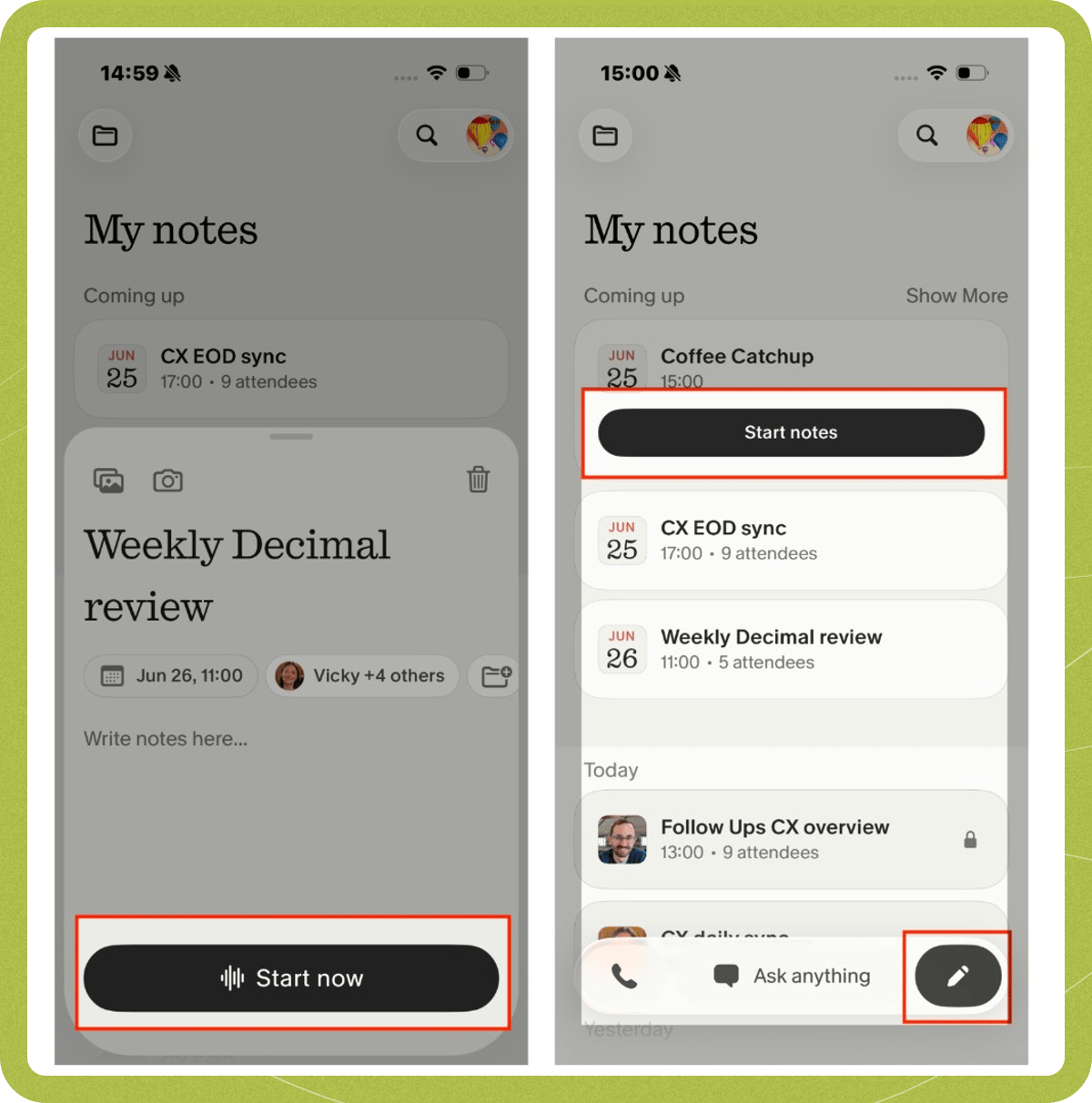
Transcription begins when you start a note, for example by:
* Starting a new note
* Tapping 'start notes' for a meeting in progress from the list of upcoming meetings
* Tapping 'start' after opening an upcoming meeting
* On iOS: tapping 'take notes' from a Live Activity prompt
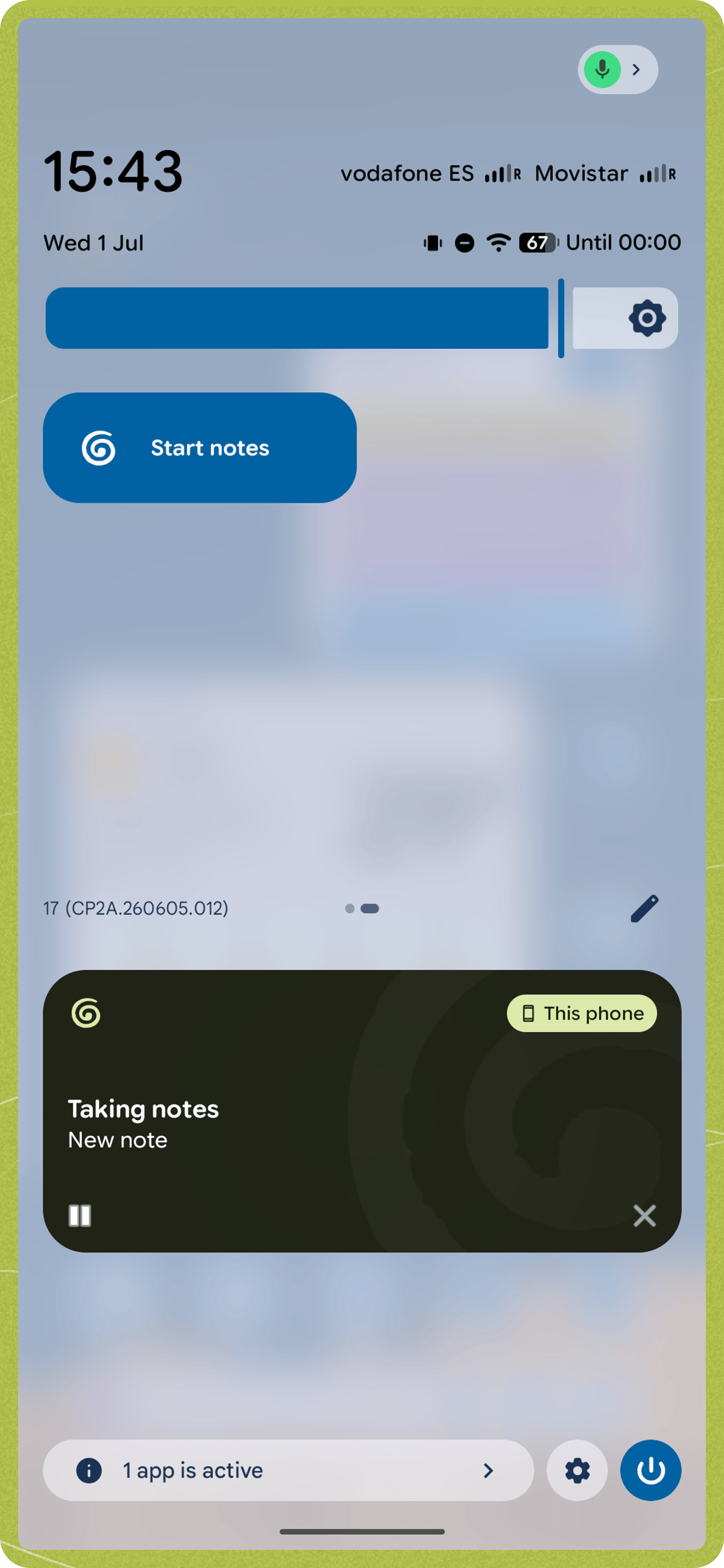
* On Android: starting a note from the Quick Settings tile
 Granola does not auto-transcribe any meetings or conversations without you manually starting a note. If you start a note accidentally, delete the note in progress.
## Transcription indicators
You can tell when Granola is transcribing in several ways:
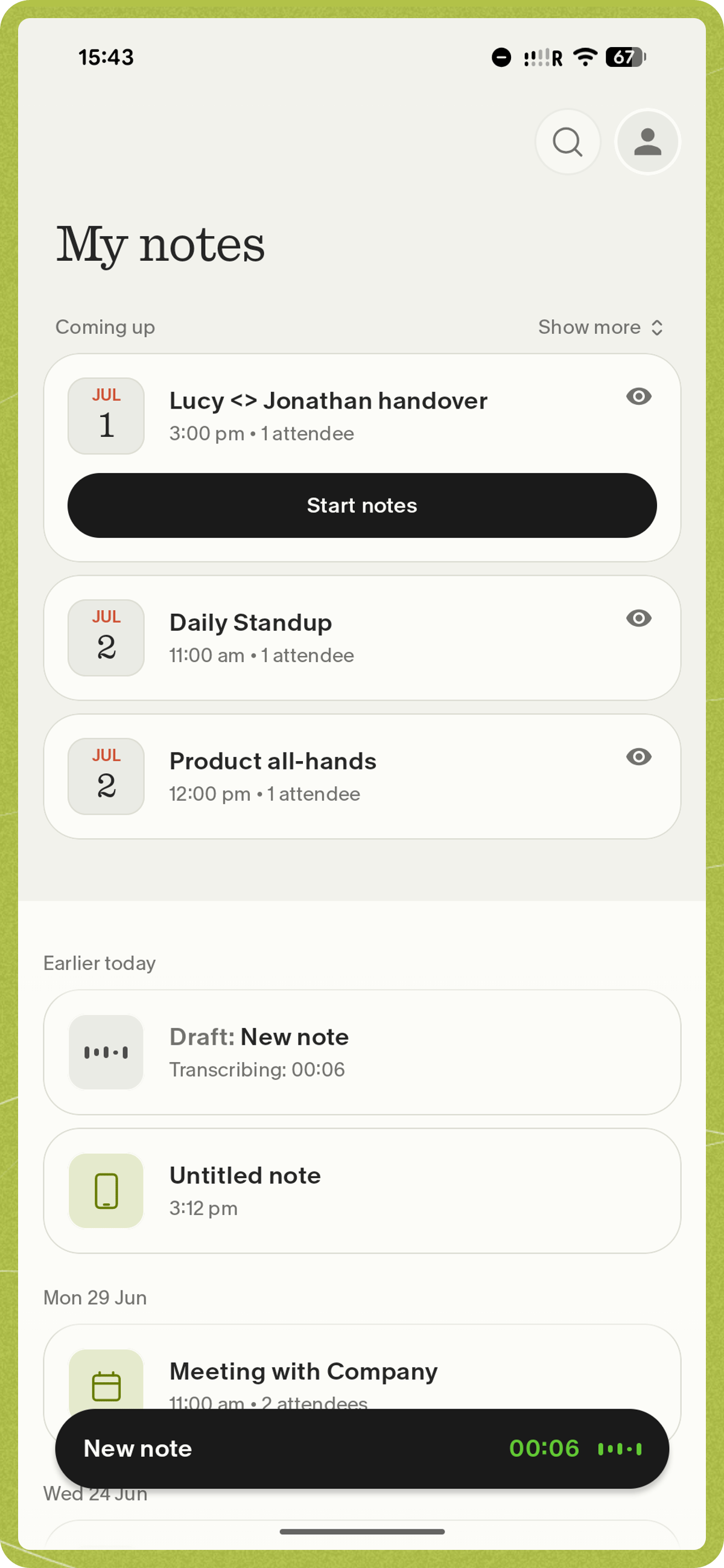
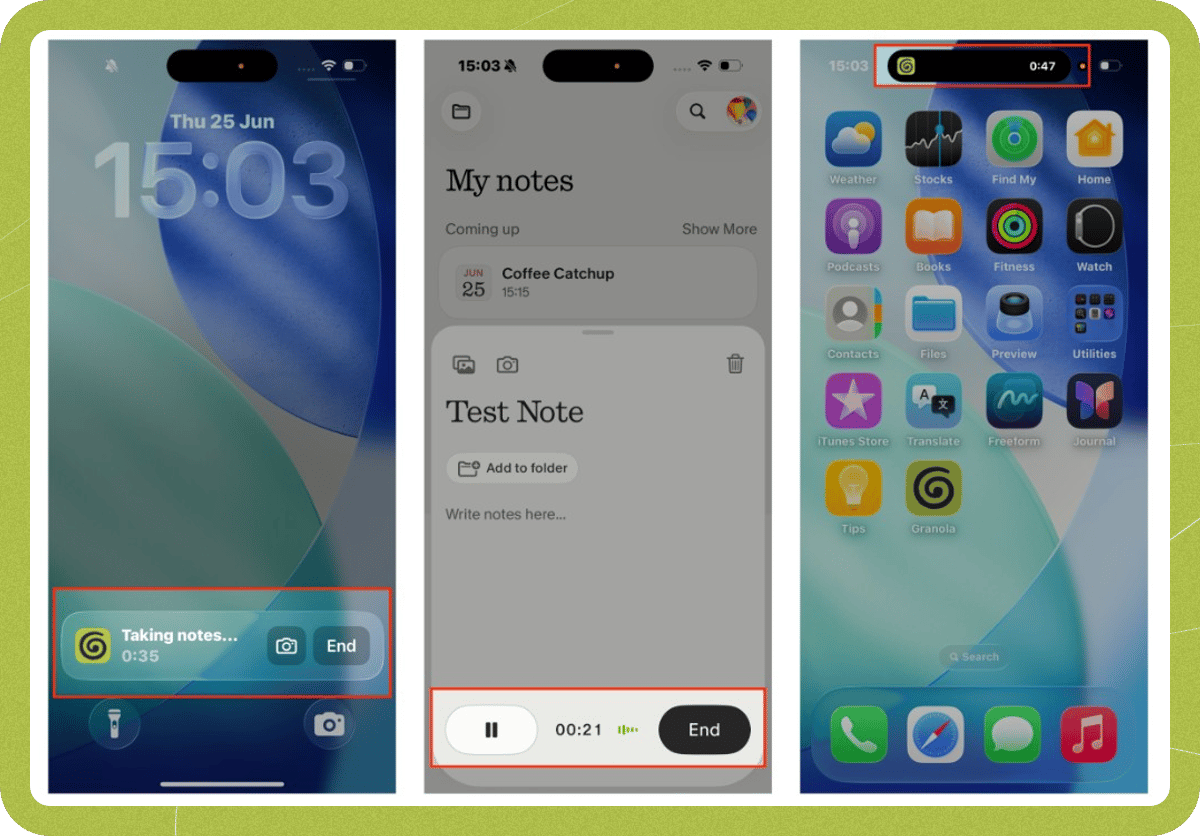
* **On a note in progress**: dancing bars respond to mic input, and the duration timer is active
* **On iOS**: the Lock Screen Live Activity says 'taking notes' with the current duration, and the Dynamic Island shows the Granola icon with an active timer
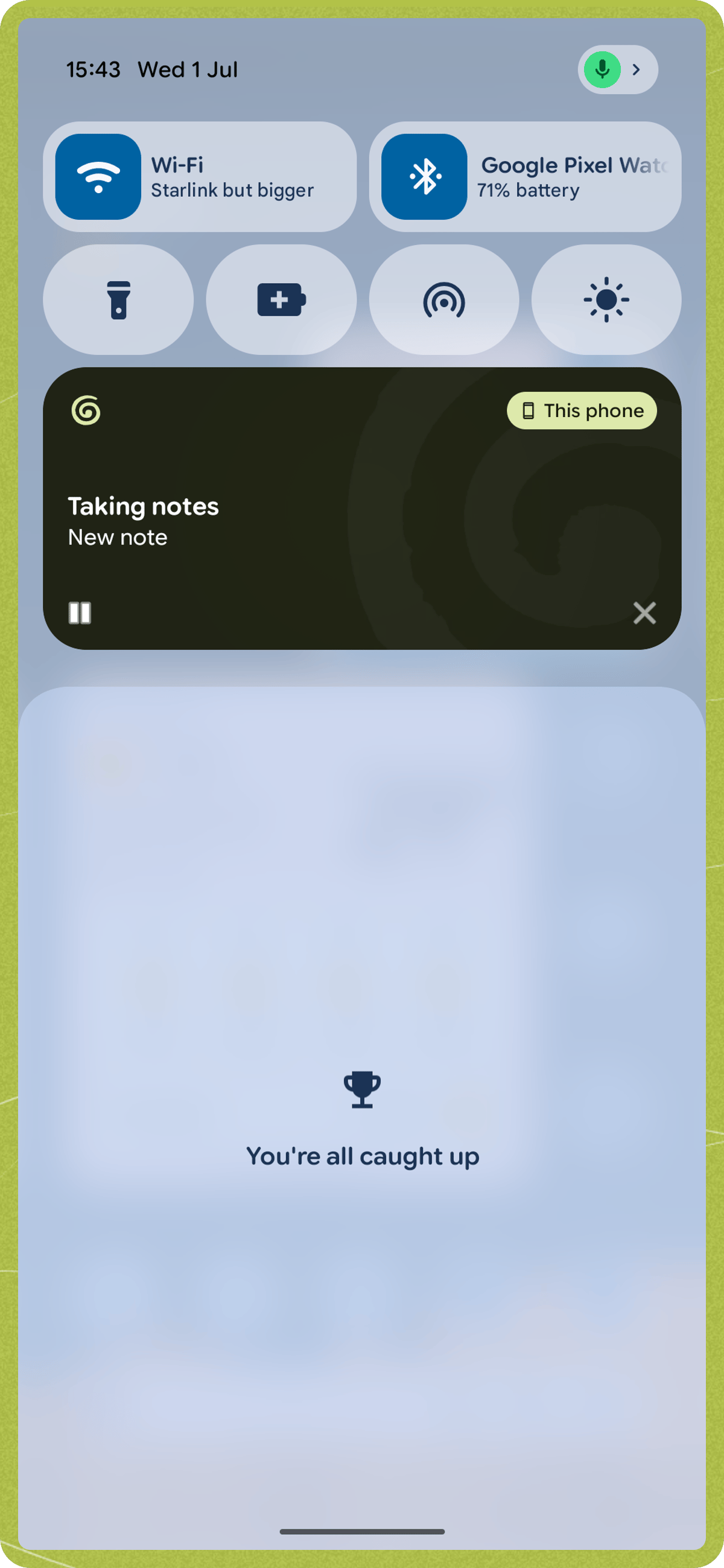
* **On Android**: an ongoing "Taking notes" notification shows the current duration with pause, resume, and end controls
Granola does not auto-transcribe any meetings or conversations without you manually starting a note. If you start a note accidentally, delete the note in progress.
## Transcription indicators
You can tell when Granola is transcribing in several ways:
* **On a note in progress**: dancing bars respond to mic input, and the duration timer is active
* **On iOS**: the Lock Screen Live Activity says 'taking notes' with the current duration, and the Dynamic Island shows the Granola icon with an active timer
* **On Android**: an ongoing "Taking notes" notification shows the current duration with pause, resume, and end controls
 ## When does transcription end?
Transcription ends when you tap 'end' — from the note card, the Live Activity notification (iOS), or the ongoing notification (Android).
Once transcription ends, the app will automatically generate your enhanced notes. It takes a bit longer than on desktop, so Granola will send you a notification when they're ready.
If your transcription is taking longer than a few minutes, [get in touch with our support team](/help-center/ios/getting-started#getting-help). Please let us know a bit of detail about what's happened, including the date/time of your meeting and the title (if it has one).
## Pausing and resuming transcription
You can pause and resume transcription from the note in progress card. Your meeting notes won't be generated until you tap end to finalize the transcription.
## Speaker identification
The transcript will identify speakers as Speaker A, Speaker B, and so on, which should more accurately assign follow-up actions in enhanced notes. We have found that in cases where the speaker identification may not be 100% accurate, the enhanced notes usually do a good job of understanding the nuances of the conversation.
## Viewing the transcript from a completed note
To view the full transcript after your meeting, open the note, tap the three-dot menu (**...**) in the top-right corner, and select **View transcript**. From the transcript view, you can also share the transcript.
## Common transcription issues
Several issues can impact the quality of Granola's transcription on mobile:
* **Bluetooth or external audio devices**: If a Bluetooth device is connected to your phone, Granola may use it as the microphone source instead of the device's built-in microphone. If the Bluetooth device isn't positioned to pick up the conversation, transcription may capture little or no audio. To use the built-in microphone, disconnect any Bluetooth speakers, headphones, or microphone devices before starting a note.
* **Linguistic accuracy**: When meetings are conducted in multiple languages or accents not supported by the current version of Granola, transcription may not accurately capture the dialogue
* **Background noise**: While background noise can affect transcription quality, the summary feature does a good job of picking out important points from the conversation
* **Recording length**: Recordings that are too short may not contain enough audio to generate notes — on Android, this applies to recordings under about 5 minutes. Very long recordings (roughly 10 hours or more) may also fail to process.
## When does transcription end?
Transcription ends when you tap 'end' — from the note card, the Live Activity notification (iOS), or the ongoing notification (Android).
Once transcription ends, the app will automatically generate your enhanced notes. It takes a bit longer than on desktop, so Granola will send you a notification when they're ready.
If your transcription is taking longer than a few minutes, [get in touch with our support team](/help-center/ios/getting-started#getting-help). Please let us know a bit of detail about what's happened, including the date/time of your meeting and the title (if it has one).
## Pausing and resuming transcription
You can pause and resume transcription from the note in progress card. Your meeting notes won't be generated until you tap end to finalize the transcription.
## Speaker identification
The transcript will identify speakers as Speaker A, Speaker B, and so on, which should more accurately assign follow-up actions in enhanced notes. We have found that in cases where the speaker identification may not be 100% accurate, the enhanced notes usually do a good job of understanding the nuances of the conversation.
## Viewing the transcript from a completed note
To view the full transcript after your meeting, open the note, tap the three-dot menu (**...**) in the top-right corner, and select **View transcript**. From the transcript view, you can also share the transcript.
## Common transcription issues
Several issues can impact the quality of Granola's transcription on mobile:
* **Bluetooth or external audio devices**: If a Bluetooth device is connected to your phone, Granola may use it as the microphone source instead of the device's built-in microphone. If the Bluetooth device isn't positioned to pick up the conversation, transcription may capture little or no audio. To use the built-in microphone, disconnect any Bluetooth speakers, headphones, or microphone devices before starting a note.
* **Linguistic accuracy**: When meetings are conducted in multiple languages or accents not supported by the current version of Granola, transcription may not accurately capture the dialogue
* **Background noise**: While background noise can affect transcription quality, the summary feature does a good job of picking out important points from the conversation
* **Recording length**: Recordings that are too short may not contain enough audio to generate notes — on Android, this applies to recordings under about 5 minutes. Very long recordings (roughly 10 hours or more) may also fail to process.