> ## Documentation Index
> Fetch the complete documentation index at: https://docs.granola.ai/llms.txt
> Use this file to discover all available pages before exploring further.
# Let People Know You're Using Granola
> How Granola helps you let meeting participants know you're transcribing with an automated chat message and Granola Watermark.
# Introduction
Granola gives you two transparency features to make it clear to meeting participants that notes are being captured. You can enable one or both, just for yourself or across your team — [see how to set them up](#how-to-set-up-transparency-features-for-your-team).
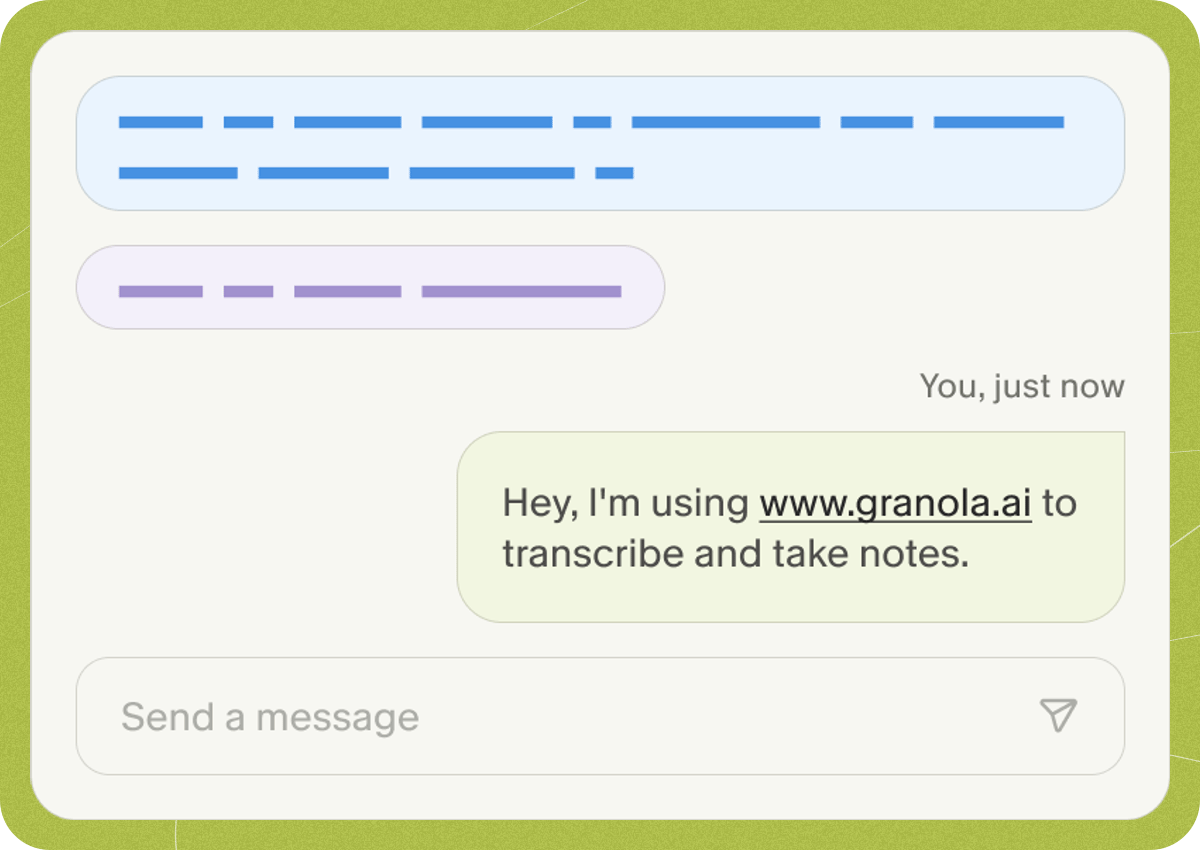
The first option is an **automated chat message**: Granola posts a message in your meeting chat when it starts transcribing to let everyone know. It's quick, automatic, and visible without interrupting the flow of conversation.
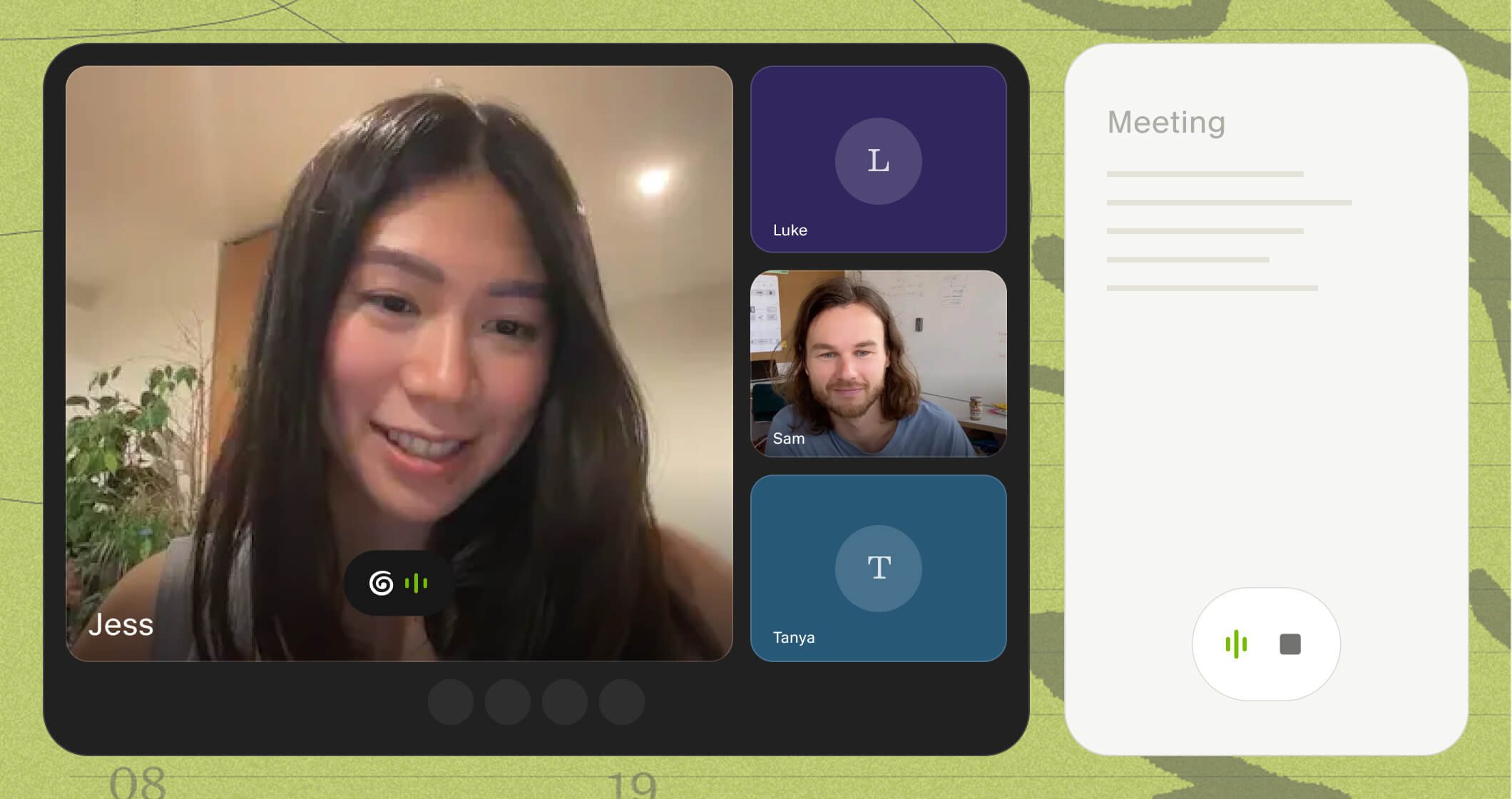
 The second is **Granola Watermark**, which when selected, displays a visible indicator on your video that Granola is transcribing and stays present throughout the call.
 ## How to set up transparency features for your team
Use the links below to see how to enable the features for yourself and/or your team if you are an admin.
Enable transparency features just for yourself.
Enable transparency features for everyone in your workspace.
## Additional notice options in Zoom and Microsoft Teams
Some organizations choose to configure additional meeting-level notice directly in their video conferencing platform. These settings are administered by the customer in Zoom or Microsoft Teams and can be used alongside Granola's consent features to provide participants with clearer, standardized notice.
For Zoom, account owners and admins on eligible plans can show a custom disclaimer when participants start or join a meeting. You can enable this at the account or group level, customize the title and description, and choose whether it appears for internal participants, external participants, or both.
Learn more: [https://support.zoom.com/hc/en/article?id=zm\_kb\&sysparm\_article=KB0066925](https://support.zoom.com/hc/en/article?id=zm_kb\&sysparm_article=KB0066925)
For Microsoft Teams, IT admins can customize the in-meeting recording and transcription notification message, as well as the privacy policy URL shown to participants. This can help organizations provide a consistent notice experience when recording or transcription is used in Teams meetings.
Learn more: [https://learn.microsoft.com/en-us/microsoftteams/recording-transcription-custom-message](https://learn.microsoft.com/en-us/microsoftteams/recording-transcription-custom-message)
These platform-level notice settings can be helpful for organizations that want a centrally managed way to inform participants that recording, transcription, or AI note-taking tools may be used. Granola does not configure these settings on behalf of customers, and customers remain responsible for determining what notice or consent is required for their use case and jurisdiction.
If you have more questions on how Granola's transparency features work, contact us at [hey@granola.so](mailto:hey@granola.so).
## How to set up transparency features for your team
Use the links below to see how to enable the features for yourself and/or your team if you are an admin.
Enable transparency features just for yourself.
Enable transparency features for everyone in your workspace.
## Additional notice options in Zoom and Microsoft Teams
Some organizations choose to configure additional meeting-level notice directly in their video conferencing platform. These settings are administered by the customer in Zoom or Microsoft Teams and can be used alongside Granola's consent features to provide participants with clearer, standardized notice.
For Zoom, account owners and admins on eligible plans can show a custom disclaimer when participants start or join a meeting. You can enable this at the account or group level, customize the title and description, and choose whether it appears for internal participants, external participants, or both.
Learn more: [https://support.zoom.com/hc/en/article?id=zm\_kb\&sysparm\_article=KB0066925](https://support.zoom.com/hc/en/article?id=zm_kb\&sysparm_article=KB0066925)
For Microsoft Teams, IT admins can customize the in-meeting recording and transcription notification message, as well as the privacy policy URL shown to participants. This can help organizations provide a consistent notice experience when recording or transcription is used in Teams meetings.
Learn more: [https://learn.microsoft.com/en-us/microsoftteams/recording-transcription-custom-message](https://learn.microsoft.com/en-us/microsoftteams/recording-transcription-custom-message)
These platform-level notice settings can be helpful for organizations that want a centrally managed way to inform participants that recording, transcription, or AI note-taking tools may be used. Granola does not configure these settings on behalf of customers, and customers remain responsible for determining what notice or consent is required for their use case and jurisdiction.
If you have more questions on how Granola's transparency features work, contact us at [hey@granola.so](mailto:hey@granola.so).